

To enable this feature, contact support@vantage.sh.
Enable via CloudFormation
1
From your AWS management account (or account the CUR is deployed in), navigate to CloudFormation.
2
Open the ConnectToVantage- stack.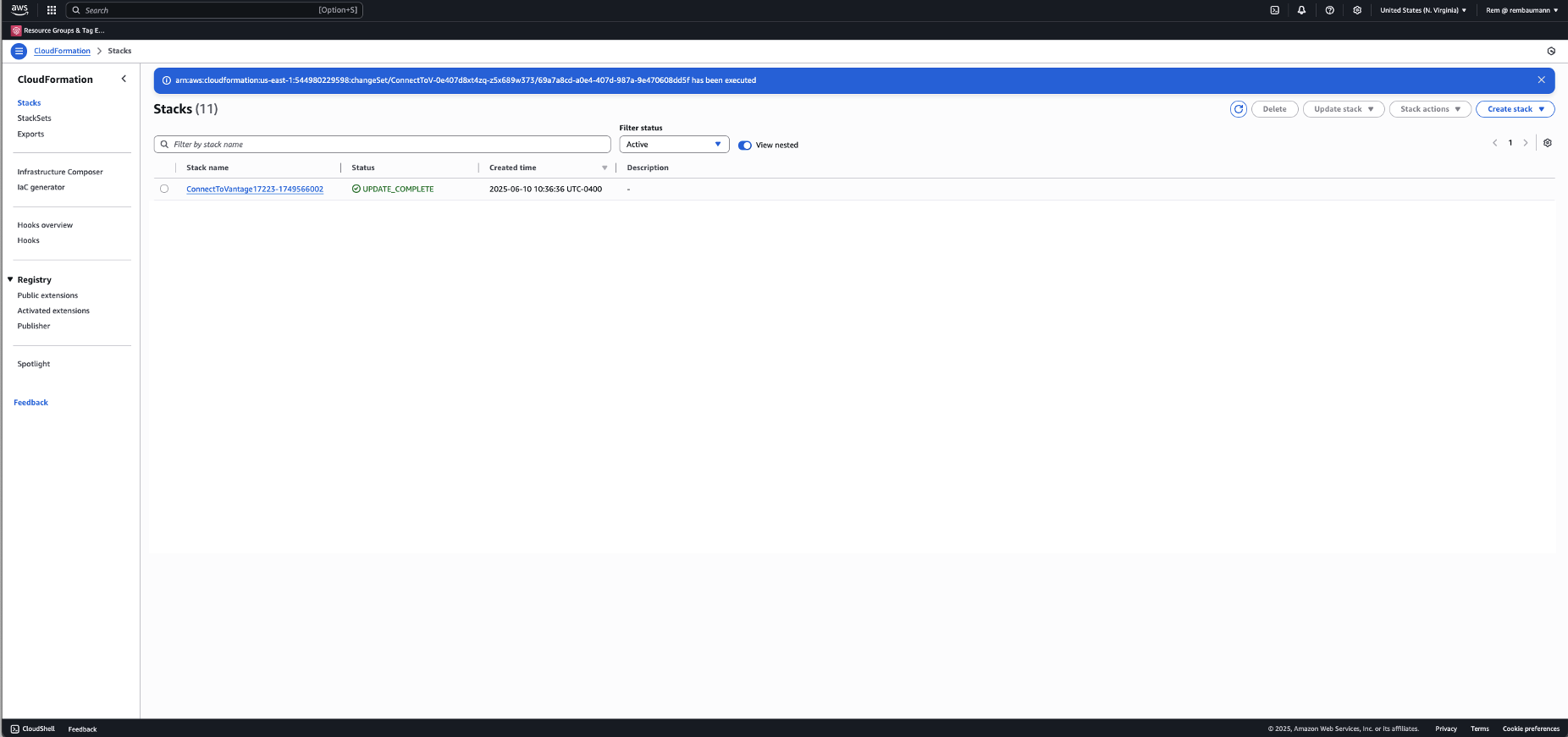
3
At the top, click Update Stack > Create a change set.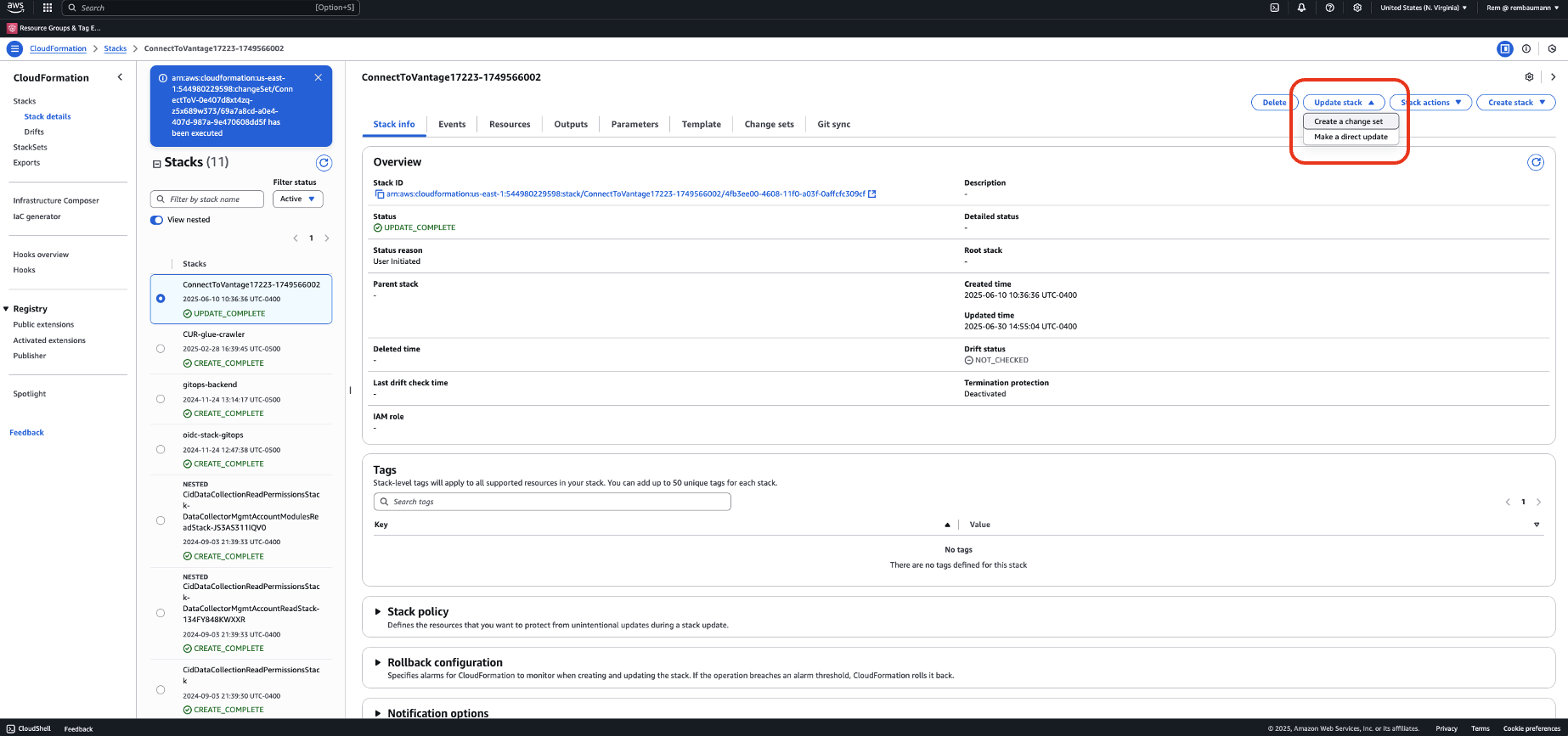
4
Select Use existing template, then click Next.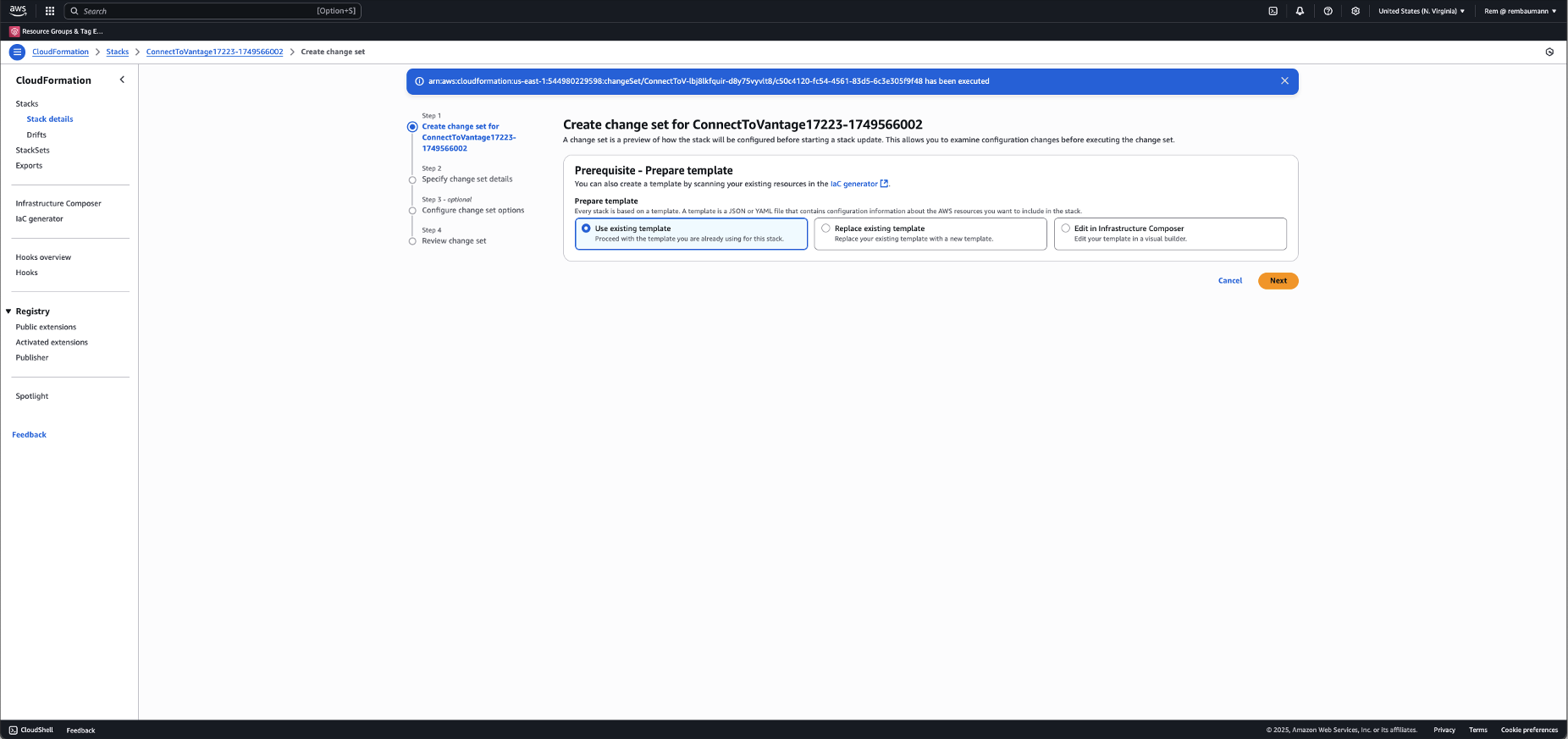
5
Make the following changes: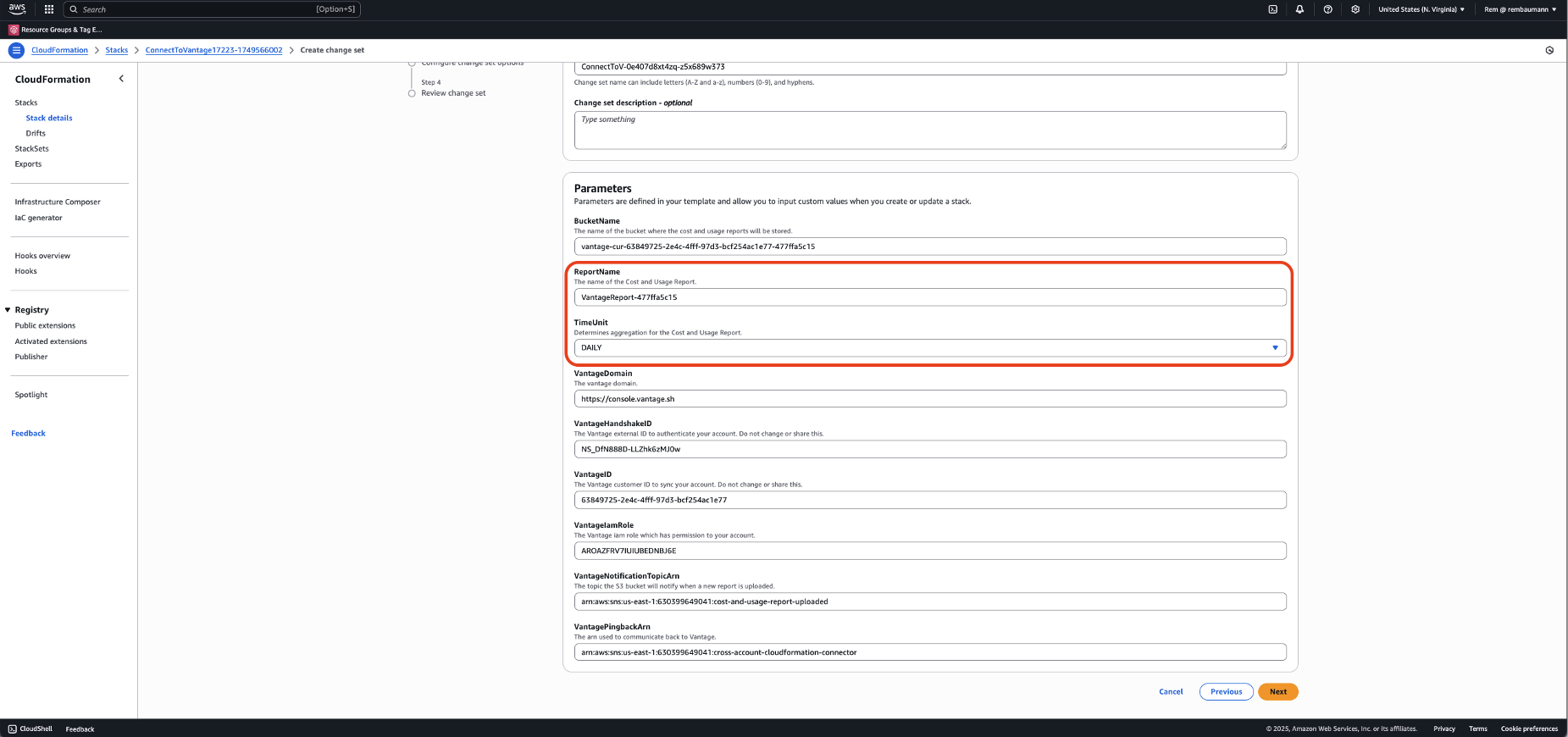
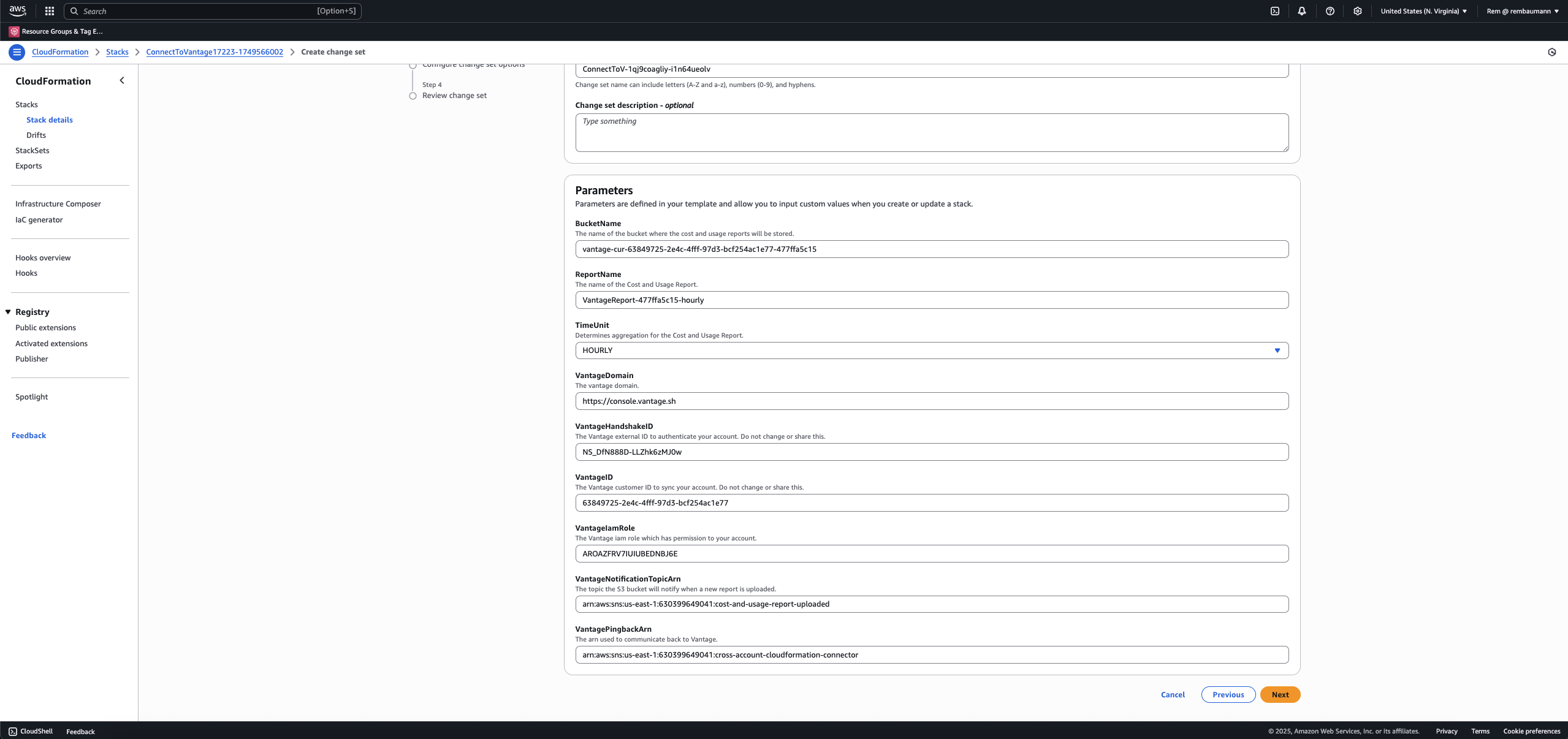
- Update the ReportName so that it is unique. It is recommended you append -hourly to the existing ReportName.
- For TimeUnit, change the value from DAILY to HOURLY. Then, click Next.
6
Check the box at the bottom to acknowledge the changes that are being made. Then, click Next.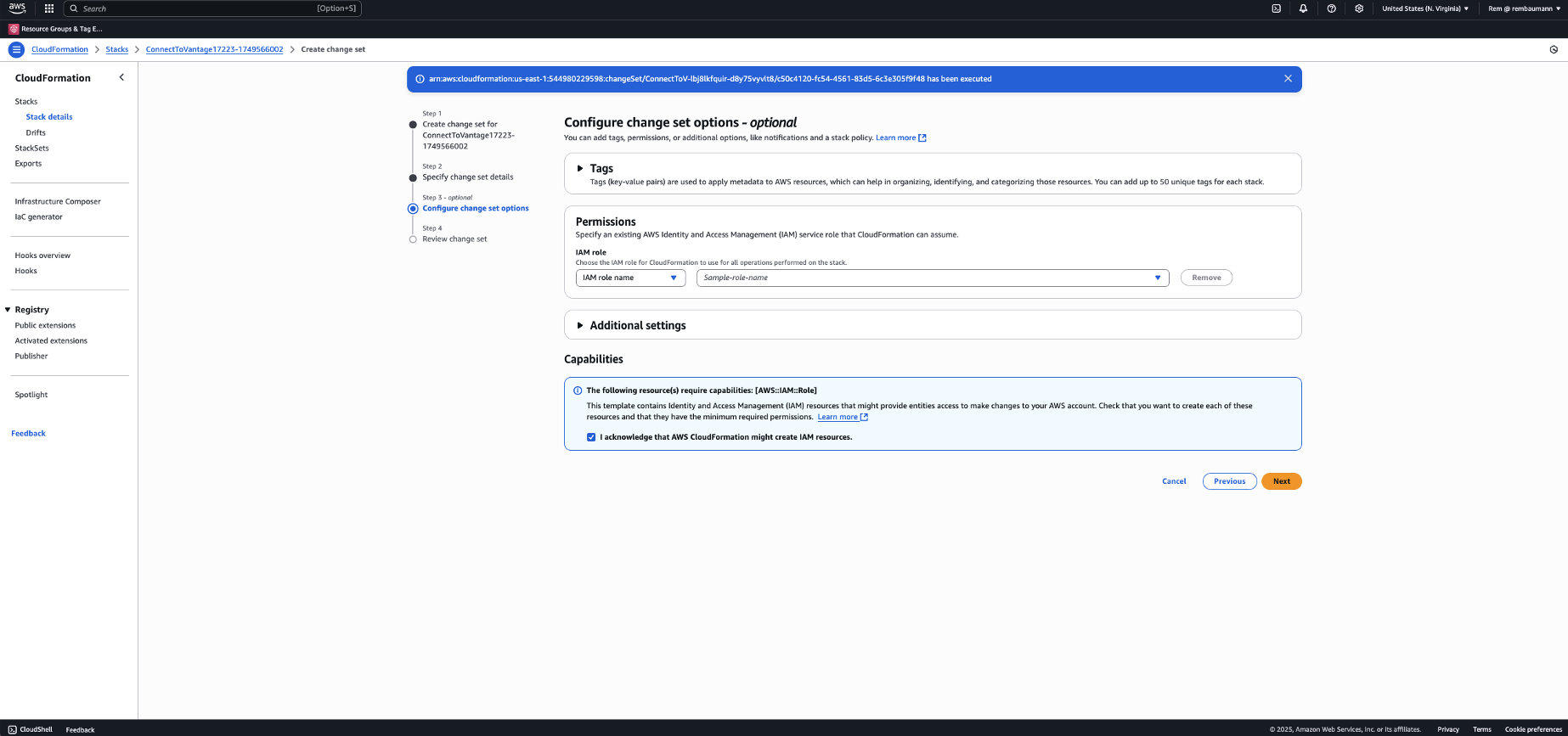
7
Review your changes and click Submit.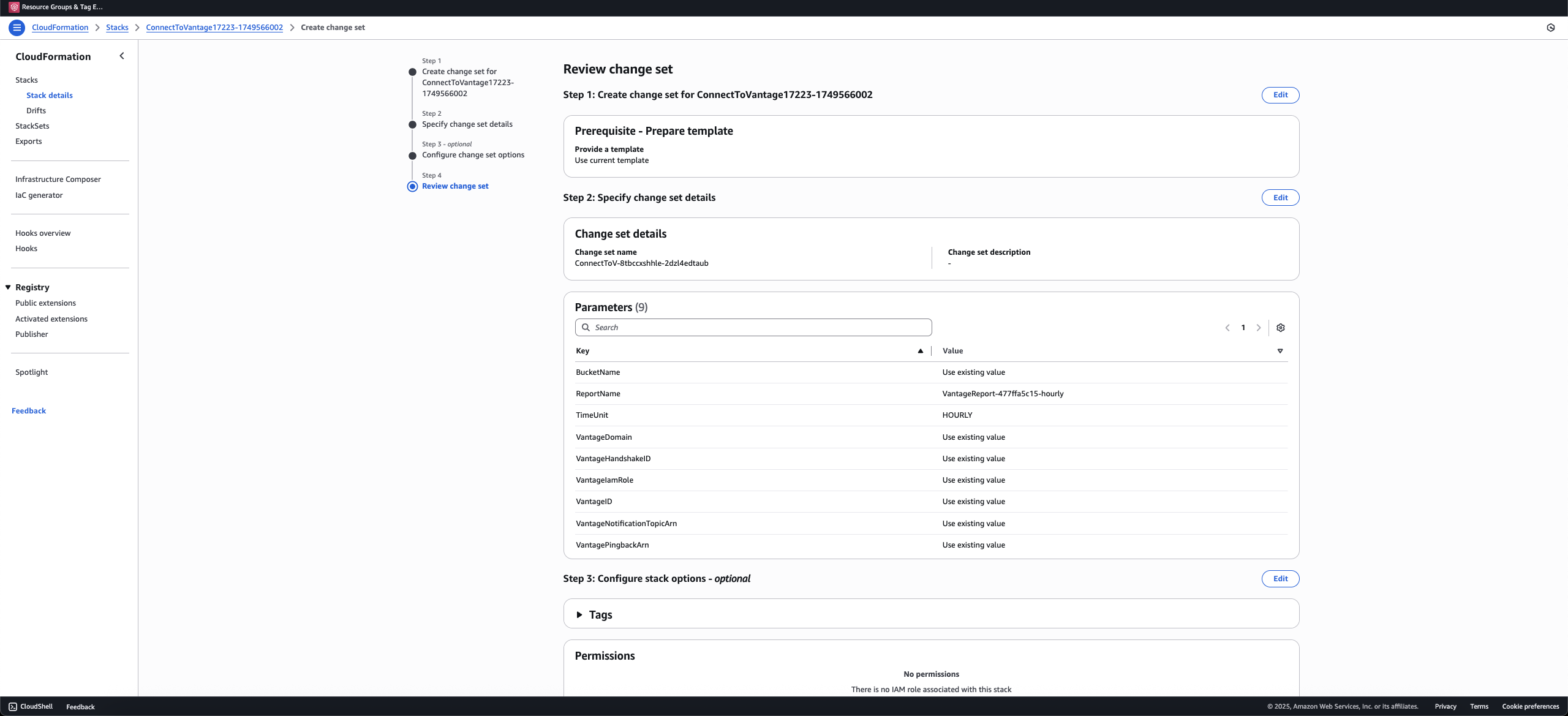
8
Your change set will be created based on the changes to your resources. This process may take a few minutes. At the top right, click Execute change set. (If you are unable to click the Execute change set button, click the circular Refresh icon below the button.)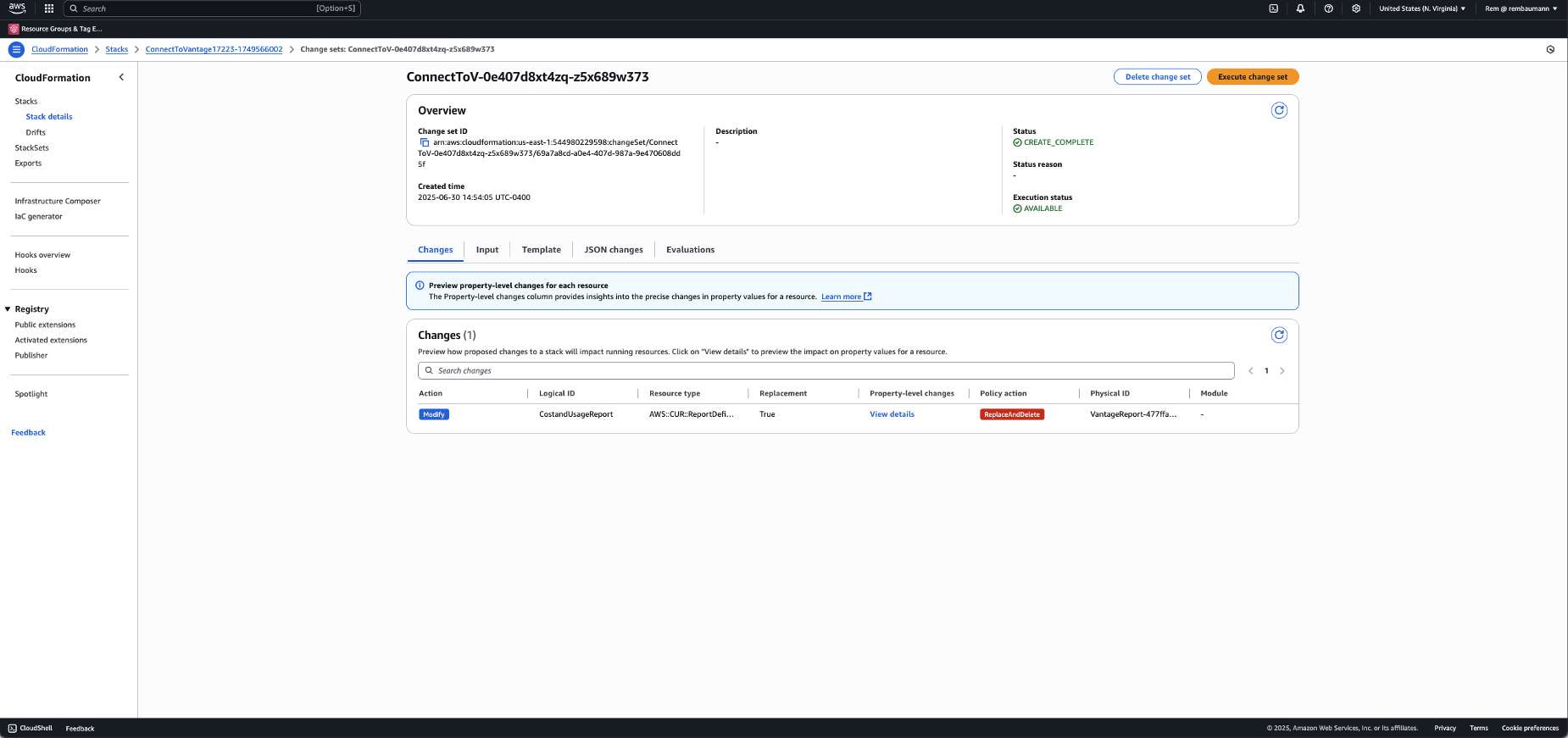
9
CloudFormation processes your changes, which includes deleting the previous CUR definition and creating a new hourly CUR.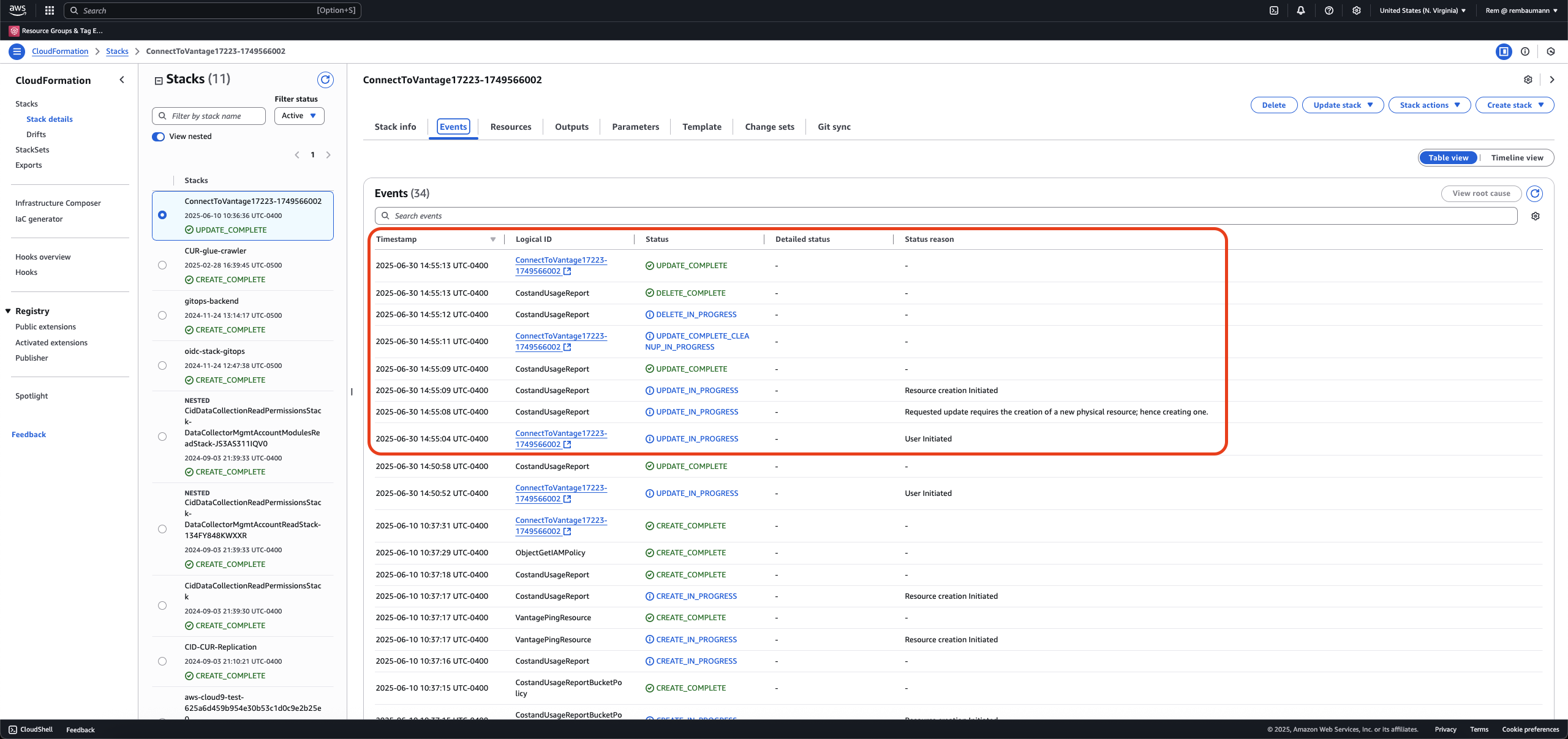
Enable via Terraform
CUR 2.0 support in the Vantage Terraform AWS integration module requires version 5.48.0 or newer of the HashiCorp AWS provider.
cur_report_time_unit to HOURLY and apply your changes. The module manages a legacy CUR 1.0 report by default; set upgrade_to_cur_2 = true to replace it with a CUR 2.0 Data Export. The assume_role block in the example below is your own AWS deploy role, not a Vantage role. See Vantage Terraform Integrations Module for AWS for details.
Enable via Manual Deployment
1
Log in to AWS, and navigate to the Billing and Cost Management console.
2
From the left navigation menu, under Cost and Usage Analysis, select Data Exports.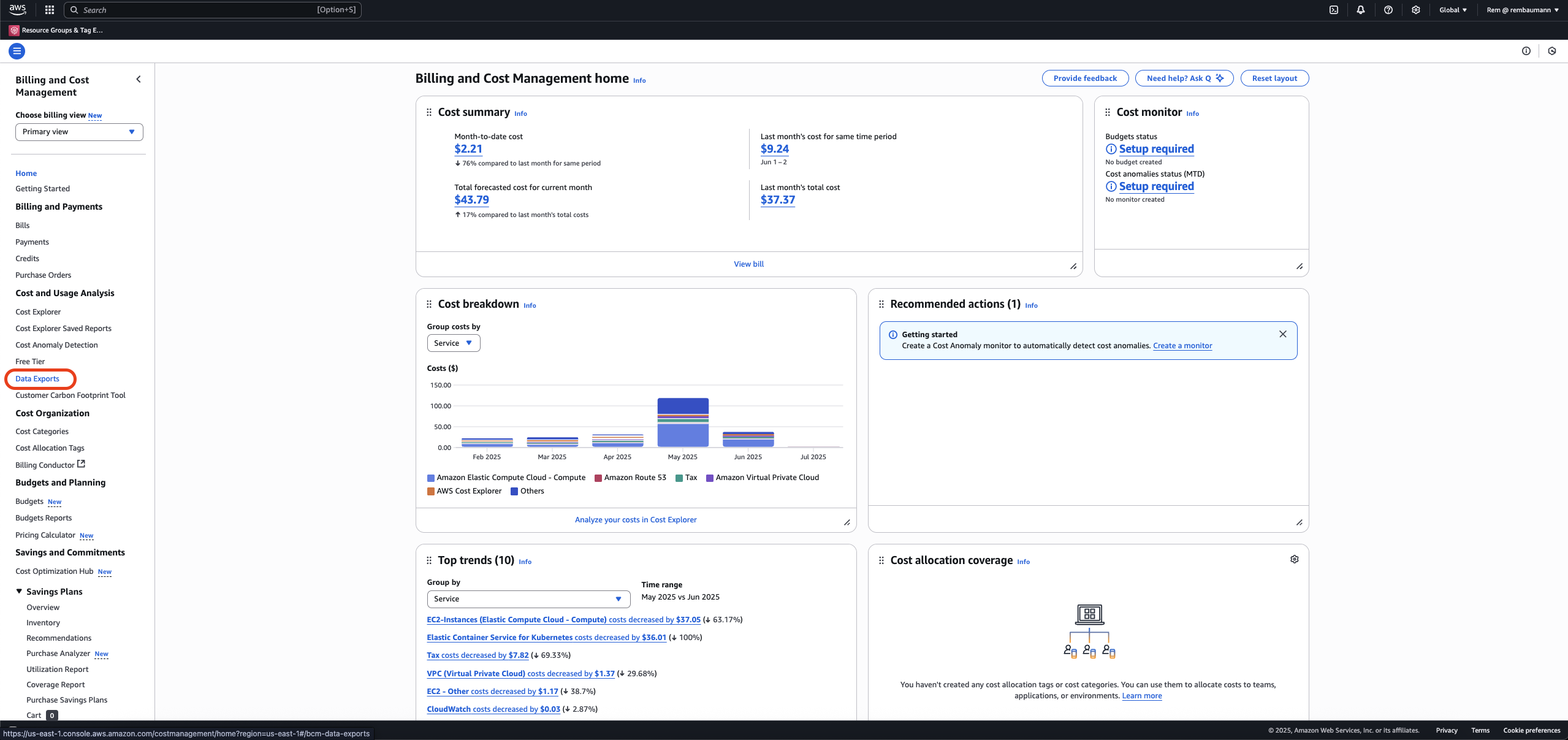
3
Click Create to create a new CUR definition.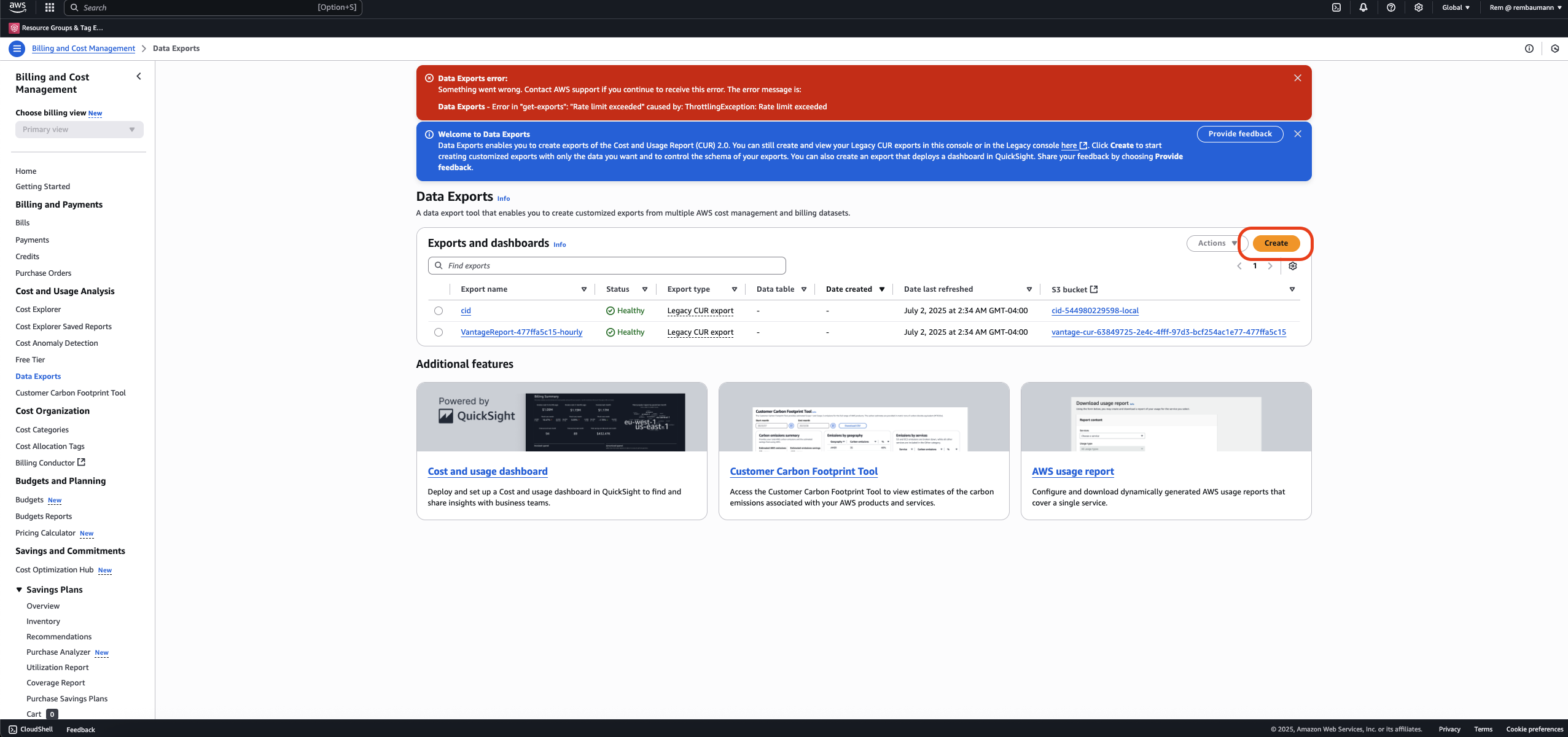
4
Create a Data Export with the following parameters:
- Export details section:
- Select Legacy CUR export.
- Enter an Export name of your choice.
- Export content section:
- For Additional export content, select Include resource IDs.
- For Data refresh settings, select Refresh automatically.
- Data export delivery options section:
- For Report data time granularity, select Hourly.
- For Report versioning, select Overwrite existing report.
- For Compression type, select gzip.
- Data Export storage settings section:
- For S3 bucket, select the same S3 bucket your existing Vantage CUR uses.
- For S3 path prefix, enter hourly-v1.
5
Click Create Report.