

Demo Scenario
You’re the FinOps Analyst at TechFlow SaaS, a fast-growing company where cloud costs have been increasing. Leadership wants visibility into spending patterns and a clear view of where costs are going.Your Mission
Build a comprehensive reporting structure for management that provides visibility into cloud spending, cost allocation, and optimization opportunities.
What You'll Build
Build an Executive Dashboard using Cost Reports, Virtual Tags, and Resource Reports to provide complete visibility for leadership decision-making.
Demo Walkthrough
Follow along with this step-by-step walkthrough. Each step includes an interactive demo to practice the concepts.Step 1: Create Your First Cost Report
Start by creating a basic Cost Report to understand your overall cloud spending. Create a Cost Report that shows costs by provider for the past month, displayed as a pie chart.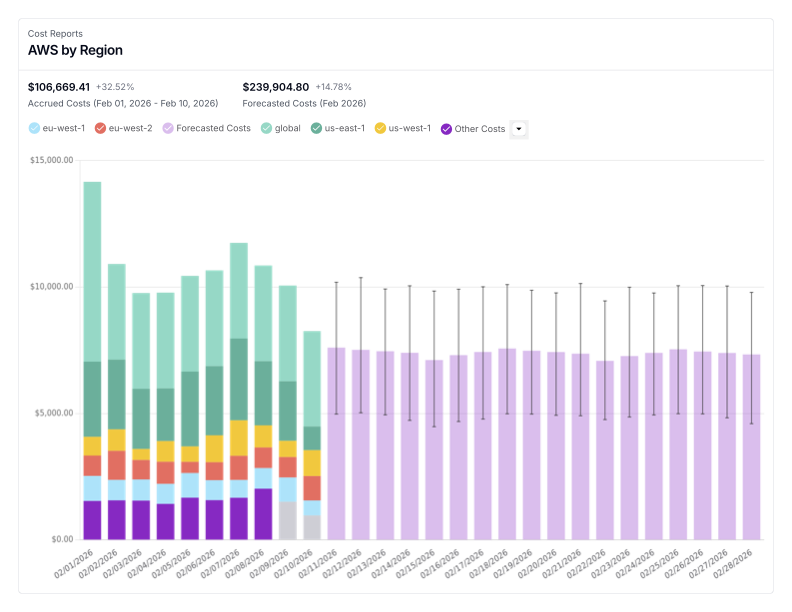
Step 2: Set Up Cost Allocation with Virtual Tags
This section includes two parts. First, you’ll create a virtual tag to allocate costs back to different operating divisions. After you complete the tag creation, you can continue directly in the demo to create a Cost Report filtered by that division tag. This will help you understand how costs are distributed across your organization.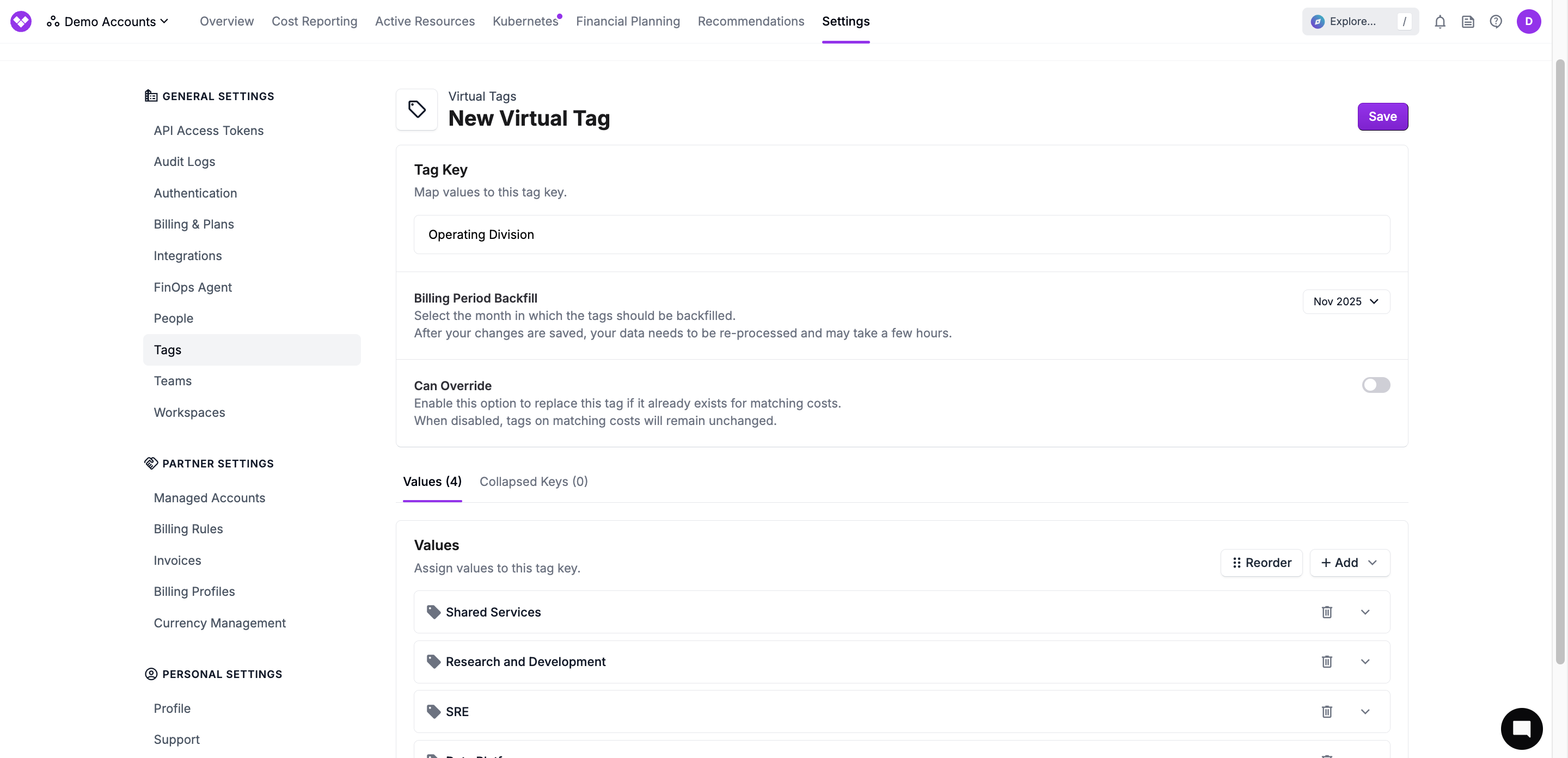
Step 3: Create a Snowflake Resource Report
Analyze your Snowflake query costs by creating a Resource Report that shows the highest cost queries. This will help identify expensive queries that may need optimization.Step 4: Build Your Executive Dashboard
Bring everything together by creating an executive dashboard. Add all the reports you created throughout this demo to provide comprehensive visibility into your cloud spending, cost allocation, optimization opportunities, and financial commitments.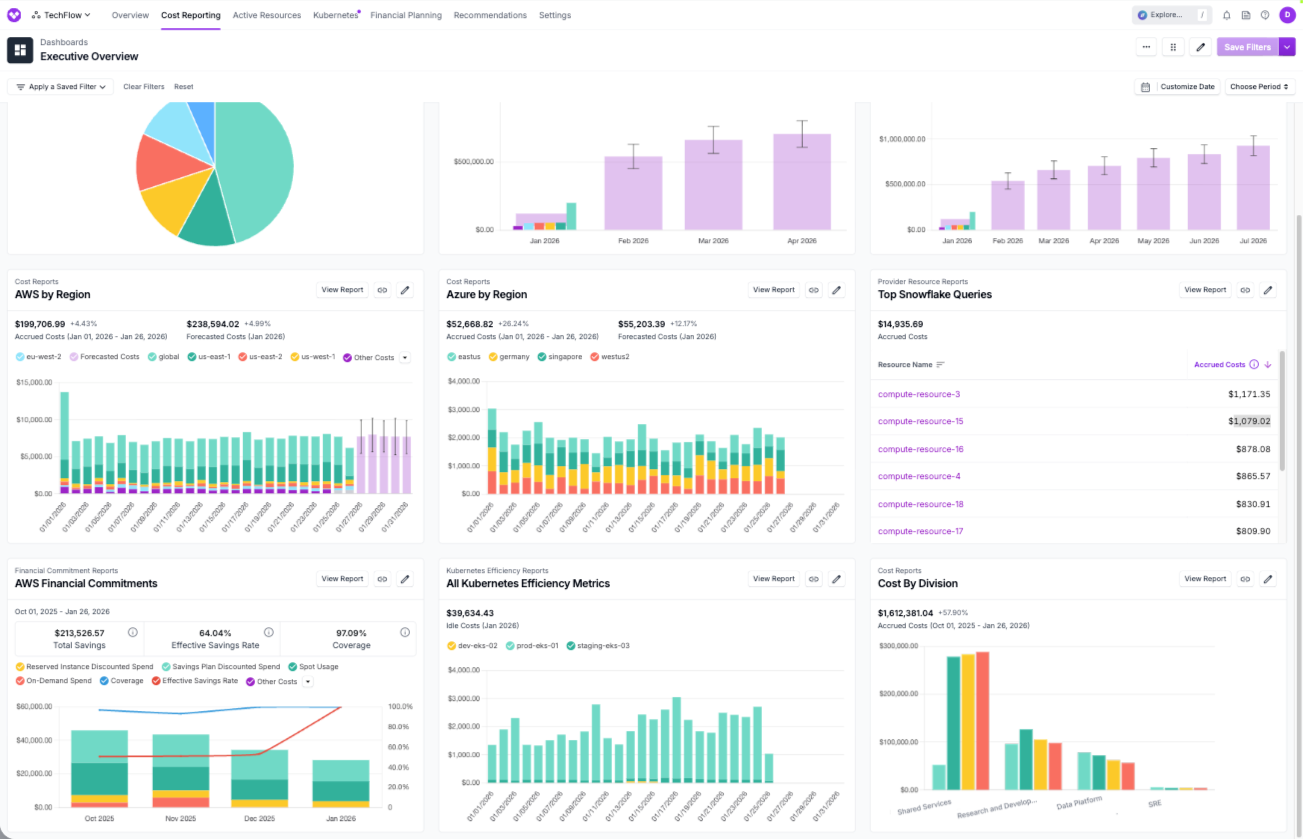
What You Built
Through this demo, you’ve created a comprehensive reporting structure for management:- Cost Report by Provider and Suggestions for Other Reports - Overall cloud spending visibility
- Virtual Tag for Operating Division - Cost allocation by business unit
- Snowflake Resource Report - Analysis of highest cost queries
- Executive Dashboard - Unified view combining all reports for leadership
Related Lessons
This interactive demo incorporates concepts from multiple Vantage University lessons. Review the below lessons to deepen your understanding:Cost Reporting
Learn how to create, filter, and customize Cost Reports.
Cost Allocation
Master virtual tags and nested tag hierarchies.
Per Resource Costs
Analyze individual resource costs and network flows.