> ## Documentation Index
> Fetch the complete documentation index at: https://docs.vantage.sh/llms.txt
> Use this file to discover all available pages before exploring further.

# SQL Billing Rules

> Custom billing rules to modify cost data, apply discounts, and exclude items from MSP billing.

SQL billing rules for MSPs let you modify cost data using SQL statements to apply custom pricing adjustments, discounts, markups, and exclusions based on your customer agreements. You can write SQL queries that run against either raw AWS Cost and Usage Report (CUR) data or processed Vantage cost data.

## Need Help Writing a Rule?

<Frame>
  <div style={{borderRadius:'16px', overflow:'hidden', boxShadow:'0 4px 24px rgba(0,0,0,0.06)', border:'1px solid rgba(0,0,0,0.06)'}}>
    <div style={{position:'relative', background:'#f8f7fa'}}>
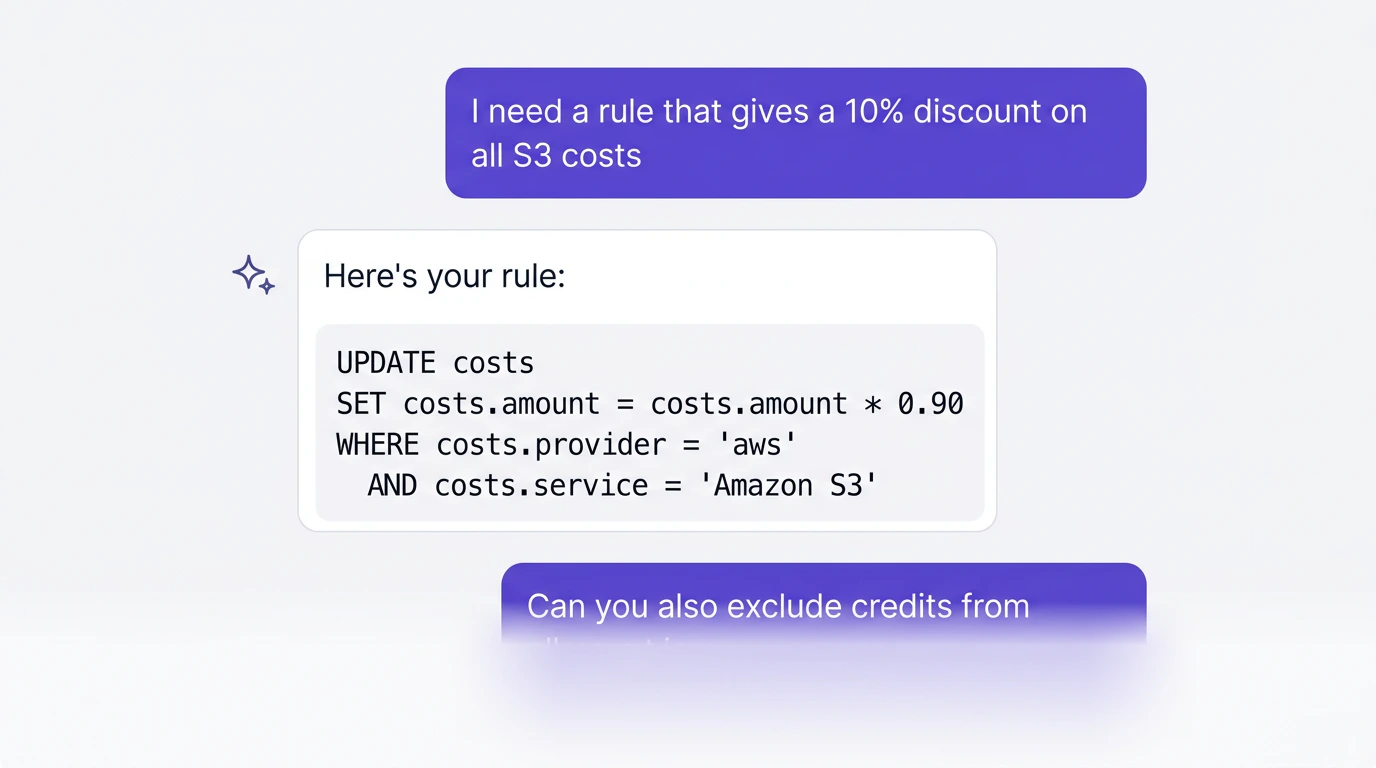
      <img src="https://mintcdn.com/vantage-39/z3qCJNmqpLR8MzOS/img/billing-rules-assistant-preview.png?fit=max&auto=format&n=z3qCJNmqpLR8MzOS&q=85&s=c35f63ac76637187d3e5c95c6ef0ffd3" alt="AI assistant conversation preview showing a billing rule being drafted" style={{width:'100%', display:'block'}} width="1376" height="768" data-path="img/billing-rules-assistant-preview.png" />

      <div style={{position:'absolute', bottom:0, left:0, right:0, height:'40%', background:'linear-gradient(to bottom, rgba(248,247,250,0) 0%, rgba(248,247,250,0.6) 50%, rgba(248,247,250,1) 100%)', pointerEvents:'none'}} />
    </div>

    <div style={{padding:'28px 32px'}}>
      <h3 style={{margin:0, marginBottom:'8px', fontSize:'1.35rem', fontWeight:700}}>AI-Assisted Billing Rules</h3>
      <p style={{margin:0, marginBottom:'0', lineHeight:1.6, opacity:0.85, fontSize:'0.95rem'}}>Describe what you need in plain language. The docs assistant will draft, validate, or troubleshoot your SQL using the reference on this page.</p>

      <div style={{display:'flex', flexWrap:'wrap', gap:'10px', marginTop:'32px'}}>
        <a href="/sql_billing_rules?assistant=I%20need%20to%20create%20a%20SQL%20billing%20rule.%20Before%20writing%20any%20SQL%2C%20ask%20me%20which%20provider%20I%20am%20using%2C%20what%20I%20want%20to%20do%20(discount%2C%20markup%2C%20exclude%2C%20or%20add%20a%20charge)%2C%20and%20which%20rows%20should%20be%20affected.%20Then%20write%20the%20complete%20SQL%20statement%20and%20explain%20which%20columns%20and%20operators%20you%20used%20and%20why.%20If%20my%20request%20is%20ambiguous%2C%20ask%20a%20clarifying%20question%20before%20writing%20SQL." style={{display:'inline-flex', alignItems:'center', gap:'8px', padding:'10px 20px', backgroundColor:'white', color:'#6742D6', border:'1.5px solid #6742D6', borderRadius:'8px', fontWeight:600, fontSize:'0.9rem', textDecoration:'none', transition:'background-color 0.2s ease'}}>
          ✦ Draft a Rule
        </a>

        <a href="/sql_billing_rules?assistant=I%20have%20a%20SQL%20billing%20rule%20I%20want%20to%20validate.%20Check%20every%20column%20name%20against%20the%20data%20dictionary%2C%20every%20operator%20against%20the%20supported%20operators%20table%2C%20and%20flag%20any%20common%20pitfalls.%20Format%20your%20response%20as%3A%20Issues%20Found%20(if%20any)%2C%20Corrected%20SQL%2C%20Explanation.%20I%20will%20paste%20the%20rule%20in%20my%20next%20message." style={{display:'inline-flex', alignItems:'center', gap:'8px', padding:'10px 20px', backgroundColor:'white', color:'#6742D6', border:'1.5px solid #6742D6', borderRadius:'8px', fontWeight:600, fontSize:'0.9rem', textDecoration:'none', transition:'background-color 0.2s ease'}}>
          ✓ Validate a Rule
        </a>

        <a href="/sql_billing_rules?assistant=My%20billing%20rule%20saved%20without%20errors%20but%20is%20not%20working%20as%20expected.%20Before%20diagnosing%2C%20ask%20me%20for%20the%20exact%20SQL%2C%20the%20provider%20value%2C%20and%20what%20I%20expected%20to%20happen.%20Then%20check%20the%20Common%20Issues%20table%20on%20this%20page%20and%20walk%20me%20through%20the%20most%20likely%20causes." style={{display:'inline-flex', alignItems:'center', gap:'8px', padding:'10px 20px', backgroundColor:'white', color:'#6742D6', border:'1.5px solid #6742D6', borderRadius:'8px', fontWeight:600, fontSize:'0.9rem', textDecoration:'none', transition:'background-color 0.2s ease'}}>
          🔧 Troubleshoot a Rule
        </a>
      </div>

      <div style={{borderTop:'1px solid rgba(0,0,0,0.06)', padding:'16px 0 0', marginTop:'24px', display:'flex', alignItems:'center', gap:'16px', flexWrap:'wrap'}}>
        <span style={{fontSize:'0.8rem', opacity:0.5}}>Or ask in your preferred AI:</span>
        <a href="https://chat.openai.com/?q=Read%20https%3A%2F%2Fdocs.vantage.sh%2Fsql_billing_rules.md%20and%20use%20it%20as%20your%20reference%20for%20Vantage%20SQL%20billing%20rules.%20Help%20me%20write%2C%20validate%2C%20or%20troubleshoot%20a%20rule.%20Ask%20me%20what%20I%20need." target="_blank" rel="noopener noreferrer" style={{fontSize:'0.8rem', fontWeight:600, color:'#6742D6', textDecoration:'none'}}>ChatGPT ↗</a>
        <a href="https://claude.ai/new?q=Read%20https%3A%2F%2Fdocs.vantage.sh%2Fsql_billing_rules.md%20and%20use%20it%20as%20your%20reference%20for%20Vantage%20SQL%20billing%20rules.%20Help%20me%20write%2C%20validate%2C%20or%20troubleshoot%20a%20rule.%20Ask%20me%20what%20I%20need." target="_blank" rel="noopener noreferrer" style={{fontSize:'0.8rem', fontWeight:600, color:'#6742D6', textDecoration:'none'}}>Claude ↗</a>
        <a href="cursor://anysphere.cursor-deeplink/prompt?text=Read+from+https%3A%2F%2Fdocs.vantage.sh%2Fsql_billing_rules.md+and+use+it+as+your+reference+for+Vantage+SQL+billing+rules.+Help+me+write%2C+validate%2C+or+troubleshoot+a+rule.+Ask+me+what+I+need." style={{fontSize:'0.8rem', fontWeight:600, color:'#6742D6', textDecoration:'none'}}>Cursor ↗</a>
        <a href="https://www.perplexity.ai/?q=Read%20https%3A%2F%2Fdocs.vantage.sh%2Fsql_billing_rules.md%20and%20use%20it%20as%20your%20reference%20for%20Vantage%20SQL%20billing%20rules.%20Help%20me%20write%2C%20validate%2C%20or%20troubleshoot%20a%20rule.%20Ask%20me%20what%20I%20need." target="_blank" rel="noopener noreferrer" style={{fontSize:'0.8rem', fontWeight:600, color:'#6742D6', textDecoration:'none'}}>Perplexity ↗</a>
      </div>
    </div>
  </div>
</Frame>

## SQL Billing Rule Datasets

SQL billing rules comprise two different datasets:

| Dataset | Description                                                                    | When to Use                                                                                                                                                                 |
| ------- | ------------------------------------------------------------------------------ | --------------------------------------------------------------------------------------------------------------------------------------------------------------------------- |
| `aws`   | Raw AWS Cost and Usage Report (CUR) data.                                      | • Modify raw AWS CUR data before processing<br />• Access columns of data that are not available in Vantage Cost Reports<br />• Work with Reserved Instances, Savings Plans |
| `costs` | Vantage-processed cost data. Use when inserting or adjusting normalized costs. | • Apply provider-agnostic billing rules                                                                                                                                     |

<Note>
  Rules written against `aws` only affect how data appears in Vantage and do not modify the original CUR file.
</Note>

### AWS Dataset

For the `aws` dataset, you can query a supported subset of AWS CUR columns. Use the **Available Columns** list in the billing rule editor to see all queryable fields. Custom `resource_tag_%` columns that vary by account are not supported, though a small set of predefined resource tag columns are available.

<Tip>
  See the [AWS Data Exports Data Dictionary](https://docs.aws.amazon.com/cur/latest/userguide/data-dictionary.html) for column definitions.
</Tip>

Expand the section below for the full list of supported `aws` columns, organized by CUR table. Use the format `aws.table/ColumnName` in your SQL (e.g., `aws.lineItem/UnblendedCost`). Quotes around the column name are optional; the editor accepts both `aws.lineItem/UnblendedCost` and `aws."lineItem/UnblendedCost"`.

<Accordion title="Click to view all supported AWS columns">
  **bill**: `BillingEntity`, `BillingPeriodEndDate`, `BillingPeriodStartDate`, `BillType`, `InvoiceId`, `InvoicingEntity`, `PayerAccountId`

  <Accordion title="bill/BillingEntity values (from AWS docs)">
    The `bill/BillingEntity` field identifies whether a charge is for an AWS service or an AWS Marketplace purchase. These values are defined by AWS in the [CUR Billing Details documentation](https://docs.aws.amazon.com/cur/latest/userguide/billing-columns.html).

    | Value             | Description                       |
    | ----------------- | --------------------------------- |
    | `AWS`             | AWS services (non-Marketplace)    |
    | `AWS Marketplace` | Purchases through AWS Marketplace |
  </Accordion>

  <Accordion title="bill/BillType values (from AWS docs)">
    The `bill/BillType` field indicates the type of bill that the line item covers. These values are defined by AWS in the [CUR Billing Details documentation](https://docs.aws.amazon.com/cur/latest/userguide/billing-columns.html).

    | Value         | Description                                           |
    | ------------- | ----------------------------------------------------- |
    | `Anniversary` | Line items for services used during the billing month |
    | `Purchase`    | Line items for upfront service fees                   |
    | `Refund`      | Line items for refunds                                |
  </Accordion>

  **costCategory**: `Project`, `Team`, `Environment`

  **discount**: `BundledDiscount`, `TotalDiscount`

  **identity**: `LineItemId`, `TimeInterval`

  **lineItem**: `AvailabilityZone`, `BlendedCost`, `BlendedRate`, `CurrencyCode`, `LegalEntity`, `LineItemDescription`, `LineItemType`, `NetUnblendedRate`, `NormalizationFactor`, `NormalizedUsageAmount`, `Operation`, `ProductCode`, `ResourceId`, `TaxType`, `UnblendedCost`, `UnblendedRate`, `UsageAccountId`, `UsageAmount`, `UsageEndDate`, `UsageStartDate`, `UsageType`

  <Accordion title="lineItem/ProductCode common values">
    The `lineItem/ProductCode` field contains the AWS service code for the line item. The table below lists commonly used product codes. This is not an exhaustive list. AWS product codes can change as services are added or renamed.

    | Product Code        | Service                                   |
    | ------------------- | ----------------------------------------- |
    | `AmazonAthena`      | Amazon Athena                             |
    | `AmazonCloudFront`  | Amazon CloudFront                         |
    | `AmazonCloudWatch`  | Amazon CloudWatch                         |
    | `AmazonCognito`     | Amazon Cognito                            |
    | `AmazonDocDB`       | Amazon DocumentDB                         |
    | `AmazonDynamoDB`    | Amazon DynamoDB                           |
    | `AmazonEC2`         | Amazon Elastic Compute Cloud              |
    | `AmazonECR`         | Amazon Elastic Container Registry         |
    | `AmazonECS`         | Amazon Elastic Container Service          |
    | `AmazonEFS`         | Amazon Elastic File System                |
    | `AmazonEKS`         | Amazon Elastic Kubernetes Service         |
    | `AmazonElastiCache` | Amazon ElastiCache                        |
    | `AmazonEMR`         | Amazon EMR                                |
    | `AmazonES`          | Amazon OpenSearch Service (legacy code)   |
    | `AmazonGuardDuty`   | Amazon GuardDuty                          |
    | `AmazonKinesis`     | Amazon Kinesis                            |
    | `AmazonLightsail`   | Amazon Lightsail                          |
    | `AmazonMQ`          | Amazon MQ                                 |
    | `AmazonMSK`         | Amazon Managed Streaming for Apache Kafka |
    | `AmazonNeptune`     | Amazon Neptune                            |
    | `AmazonQuickSight`  | Amazon QuickSight                         |
    | `AmazonRDS`         | Amazon Relational Database Service        |
    | `AmazonRedshift`    | Amazon Redshift                           |
    | `AmazonRoute53`     | Amazon Route 53                           |
    | `AmazonS3`          | Amazon Simple Storage Service             |
    | `AmazonSageMaker`   | Amazon SageMaker                          |
    | `AmazonSES`         | Amazon Simple Email Service               |
    | `AmazonSNS`         | Amazon Simple Notification Service        |
    | `AmazonSQS`         | Amazon Simple Queue Service               |
    | `AmazonVPC`         | Amazon Virtual Private Cloud              |
    | `AmazonWorkSpaces`  | Amazon WorkSpaces                         |
    | `AWSBackup`         | AWS Backup                                |
    | `AWSCloudTrail`     | AWS CloudTrail                            |
    | `AWSCodeBuild`      | AWS CodeBuild                             |
    | `AWSConfig`         | AWS Config                                |
    | `AWSDataTransfer`   | AWS Data Transfer                         |
    | `AWSDirectConnect`  | AWS Direct Connect                        |
    | `AWSELB`            | Elastic Load Balancing                    |
    | `AWSFargate`        | AWS Fargate                               |
    | `AWSGlue`           | AWS Glue                                  |
    | `AWSKMS`            | AWS Key Management Service                |
    | `AWSLambda`         | AWS Lambda                                |
    | `AWSSecretsManager` | AWS Secrets Manager                       |
    | `AWSShield`         | AWS Shield                                |
    | `AWSStepFunctions`  | AWS Step Functions                        |
    | `AWSSystemsManager` | AWS Systems Manager                       |
    | `AWSTransferFamily` | AWS Transfer Family                       |
    | `AWSWAF`            | AWS WAF                                   |

    <Note>
      This is not an exhaustive list. Verify product codes against the [AWS Data Exports Data Dictionary](https://docs.aws.amazon.com/cur/latest/userguide/data-dictionary.html) or the product code values in your CUR data.
    </Note>
  </Accordion>

  <Accordion title="lineItem/LineItemType values (from AWS docs)">
    The `lineItem/LineItemType` field indicates the type of charge on each CUR row. These values are defined by AWS in the [CUR Line Item Details documentation](https://docs.aws.amazon.com/cur/latest/userguide/Lineitem-columns.html#l-L).

    | Value                     | Description                                                 |
    | ------------------------- | ----------------------------------------------------------- |
    | `BundledDiscount`         | Usage-based discount from using another service or feature  |
    | `Credit`                  | Credits applied to your bill                                |
    | `Discount`                | Discounts applied to your usage                             |
    | `DiscountedUsage`         | Usage covered by Reserved Instance benefits                 |
    | `Fee`                     | Upfront annual fee for subscriptions (e.g., All Upfront RI) |
    | `Refund`                  | Negative charges for refunds                                |
    | `RIFee`                   | Monthly recurring fee for Reserved Instance subscriptions   |
    | `SavingsPlanCoveredUsage` | On-demand cost covered by Savings Plans                     |
    | `SavingsPlanNegation`     | Offset cost from Savings Plans benefits                     |
    | `SavingsPlanRecurringFee` | Recurring hourly charges for Savings Plans                  |
    | `SavingsPlanUpfrontFee`   | One-time upfront fee for Savings Plans                      |
    | `Tax`                     | Taxes applied to your bill                                  |
    | `Usage`                   | Usage charged at on-demand rates                            |
  </Accordion>

  **pricing**: `LeaseContractLength`, `OfferingClass`, `publicOnDemandCost`, `publicOnDemandRate`, `PurchaseOption`, `RateCode`, `RateId`, `term`, `unit`

  <Accordion title="pricing/term values (from AWS docs)">
    The `pricing/term` field indicates whether usage is On-Demand or Reserved. These values are defined by AWS in the [CUR Pricing Details documentation](https://docs.aws.amazon.com/cur/latest/userguide/pricing-columns.html). This field is empty for Spot Instances, Savings Plan rows, and Marketplace purchases.

    | Value      | Description                              |
    | ---------- | ---------------------------------------- |
    | `OnDemand` | Usage billed at on-demand rates          |
    | `Reserved` | Usage covered by Reserved Instance terms |
  </Accordion>

  <Accordion title="pricing/PurchaseOption values (from AWS docs)">
    The `pricing/PurchaseOption` field indicates the payment model for a Reserved Instance. These values are defined by AWS in the [CUR Pricing Details documentation](https://docs.aws.amazon.com/cur/latest/userguide/pricing-columns.html).

    | Value             | Description                                            |
    | ----------------- | ------------------------------------------------------ |
    | `All Upfront`     | Full upfront payment, no monthly charges               |
    | `Partial Upfront` | Partial upfront payment with recurring monthly charges |
    | `No Upfront`      | No upfront payment, all recurring monthly charges      |
  </Accordion>

  **product**: `APICalls`, `attachmentType`, `availability`, `cacheType`, `capacitystatus`, `clockspeed`, `component`, `databaseedition`, `dataTransfer`, `dedicatedEbsThroughput`, `deploymentoption`, `description`, `destinationCountryISOCode`, `directconnectlocation`, `directorysize`, `directorytype`, `directorytypedescription`, `disableactivationconfirmationemail`, `durability`, `ebsOptimized`, `ecu`, `endpointtype`, `enhancedNetworkingSupported`, `filesystemtype`, `findingGroup`, `findingSource`, `freeUsageIncluded`, `fromLocation`, `fromRegionCode`, `fromLocationType`, `gpu`, `gpuMemory`, `group`, `groupdescription`, `insightsType`, `instance`, `instanceFamily`, `instanceSize`, `instanceType`, `instanceTypeFamily`, `integratingApi`, `integratingService`, `intelAvxAvailable`, `intelAvx2Available`, `intelTurboAvailable`, `invocation`, `licenseModel`, `location`, `locationType`, `logsDestination`, `maxIopsBurstPerformance`, `maxIopsvolume`, `maxThroughputvolume`, `memory`, `messageCountfee`, `messageType`, `networkPerformance`, `normalizationSizeFactor`, `operatingSystem`, `operation`, `originationIdType`, `osType`, `parameterType`, `physicalCores`, `physicalProcessor`, `platoClassificationType`, `pricingUnit`, `primaryplaceofuse`, `processorArchitecture`, `processorFeatures`, `ProductFamily`, `ProductName`, `productSchemaDescription`, `provisioned`, `provisioningType`, `PurchaseOption`, `purchaseterm`, `region`, `regioncode`, `replicationType`, `resourceAssessment`, `resourcePriceGroup`, `routeType`, `servicecode`, `servicename`, `singleOrDualPass`, `sizeFlex`, `sku`, `storage`, `storageclass`, `storagemedia`, `storagetype`, `tenancy`, `throughputCapacity`, `tier`, `toLocation`, `toLocationType`, `toRegionCode`, `transcodingResult`, `trialProduct`, `upfrontCommitment`, `usagetype`, `vcpu`, `videoCodec`, `videoFrameRate`, `videoQualitySetting`, `volumeType`, `workforceType`

  <Accordion title="product/ProductFamily common values">
    The `product/ProductFamily` field categorizes the type of product. The table below lists commonly seen values. This is not an exhaustive list; product family values vary by service and can change over time.

    | Value                       | Typical Services                            |
    | --------------------------- | ------------------------------------------- |
    | `Alarm`                     | CloudWatch Alarms                           |
    | `API Request`               | S3, DynamoDB, API Gateway                   |
    | `AWS Budgets`               | AWS Budgets                                 |
    | `Bundle`                    | WorkSpaces, Lightsail                       |
    | `Cache Instance`            | ElastiCache                                 |
    | `Cloud Connectivity`        | Direct Connect, VPN                         |
    | `Compute`                   | EC2                                         |
    | `Compute Instance`          | EC2, RDS, ElastiCache, Redshift             |
    | `CPU Credits`               | T-family burstable instances                |
    | `Data Transfer`             | Cross-region/cross-AZ transfers, CloudFront |
    | `Database Instance`         | RDS, Neptune, DocumentDB                    |
    | `DNS Query`                 | Route 53                                    |
    | `Elastic IP`                | EC2 Elastic IPs                             |
    | `Fee`                       | Various upfront fees                        |
    | `Hosted Zone`               | Route 53                                    |
    | `IP Address`                | Public IPv4 addresses                       |
    | `Load Balancer`             | Classic Load Balancer                       |
    | `Load Balancer-Application` | Application Load Balancer                   |
    | `Load Balancer-Network`     | Network Load Balancer                       |
    | `Machine Learning`          | SageMaker                                   |
    | `NAT Gateway`               | VPC NAT Gateways                            |
    | `Provisioned IOPS`          | EBS io1/io2 IOPS                            |
    | `Provisioned Throughput`    | DynamoDB                                    |
    | `Serverless`                | Lambda, Fargate                             |
    | `Storage`                   | S3, EBS, Glacier                            |
    | `Storage Snapshot`          | RDS Snapshots                               |
    | `Stopped Instance`          | Stopped EC2 instances                       |
    | `System Operation`          | EBS, RDS storage operations                 |

    <Note>
      This is not an exhaustive list. Product family values vary by service and can change over time. Verify against the [AWS Data Exports Data Dictionary](https://docs.aws.amazon.com/cur/latest/userguide/product-columns.html) or the values in your CUR data.
    </Note>
  </Accordion>

  **reservation**: `AmortizedUpfrontCostForUsage`, `AmortizedUpfrontFeeForBillingPeriod`, `AvailabilityZone`, `EffectiveCost`, `EndTime`, `ModificationStatus`, `NetAmortizedUpfrontCostForUsage`, `NetAmortizedUpfrontFeeForBillingPeriod`, `NetEffectiveCost`, `NetRecurringFeeForUsage`, `NetUnusedAmortizedUpfrontFeeForBillingPeriod`, `NetUnusedRecurringFee`, `NetUpfrontValue`, `NormalizedUnitsPerReservation`, `NumberOfReservations`, `RecurringFeeForUsage`, `ReservationARN`, `StartTime`, `SubscriptionId`, `TotalReservedNormalizedUnits`, `TotalReservedUnits`, `UnitsPerReservation`, `UnusedAmortizedUpfrontFeeForBillingPeriod`, `UnusedNormalizedUnitQuantity`, `UnusedQuantity`, `UnusedRecurringFee`, `UpfrontValue`

  **resourceTags**: `user:creator`, `user:name`, `user:owner`, `user:purpose`

  **savingsPlan**: `AmortizedUpfrontCommitmentForBillingPeriod`, `EndTime`, `InstanceTypeFamily`, `NetAmortizedUpfrontCommitmentForBillingPeriod`, `NetRecurringCommitmentForBillingPeriod`, `NetSavingsPlanEffectiveCost`, `OfferingType`, `PaymentOption`, `PurchaseTerm`, `RecurringCommitmentForBillingPeriod`, `Region`, `SavingsPlanARN`, `SavingsPlanEffectiveCost`, `SavingsPlanRate`, `StartTime`, `TotalCommitmentToDate`, `UsedCommitment`

  **splitLineItem**: `ActualUsage`, `NetSplitCost`, `NetUnusedCost`, `ParentResourceId`, `PublicOnDemandSplitCost`, `PublicOnDemandUnusedCost`, `SplitCost`, `SplitUsage`, `SplitUsageRatio`, `UnusedCost`
</Accordion>

### Costs Dataset

The table below is the full data dictionary of all `costs` columns you can use in billing rule SQL.

| Column                | Type    | Description                                                                                                                                 | Example Values                               |
| --------------------- | ------- | ------------------------------------------------------------------------------------------------------------------------------------------- | -------------------------------------------- |
| `amount`              | decimal | Cost amount in the specified currency                                                                                                       | `100.18`                                     |
| `cost_category`       | string  | High-level cost category                                                                                                                    | `API Request`, `Compute Instance`, `Storage` |
| `cost_sub_category`   | string  | Detailed cost subcategory                                                                                                                   | `DataTransfer-Out-Bytes`                     |
| `cost_type`           | string  | Charge type (see [supported `cost_type` values](#supported-cost-type-values) below)                                                         | `Usage`, `SppDiscount`, `Fee`                |
| `currency_code`       | string  | Currency code                                                                                                                               | `USD`, `EUR`                                 |
| `date`                | string  | Date of the cost line item                                                                                                                  | `2026-01-01`                                 |
| `provider`            | string  | Cloud provider (see [supported providers](#supported-provider-values) below)                                                                | `aws`, `azure`, `gcp`, `snowflake`           |
| `provider_account_id` | string  | Provider-level account ID. For AWS, the payer account. For Azure, see [Azure-Specific Field Mapping](#azure-specific-field-mapping).        | `111111111111`                               |
| `region`              | string  | Region                                                                                                                                      | `us-east-1`, `us-west-2`                     |
| `resource_account_id` | string  | Resource-level account ID. For AWS, the linked/usage account. For Azure, see [Azure-Specific Field Mapping](#azure-specific-field-mapping). | `222222222222`                               |
| `resource_id`         | string  | Unique resource identifier                                                                                                                  | `arn:aws:ec2:...`                            |
| `service`             | string  | Service name (may differ from CUR product code after normalization)                                                                         | `Amazon S3`, `Azure Databricks`              |
| `usage_amount`        | decimal | Amount of usage                                                                                                                             | `25`                                         |
| `usage_unit`          | string  | Unit of measurement                                                                                                                         | `request`, `GB`, `Hours`                     |

#### Supported Cost Type Values

The `cost_type` column corresponds to the **Charge Type** filter in Cost Reports. Expand the section below for the exact raw `costs.cost_type` values you can use in SQL.

<Accordion title="Click to view all supported cost_type values">
  | Exact `costs.cost_type` Value          | Definition                                                                                                                                                                                                                                         |
  | -------------------------------------- | -------------------------------------------------------------------------------------------------------------------------------------------------------------------------------------------------------------------------------------------------- |
  | `adjustment`                           | GCP adjustments due to reasons like goodwill or SLA violations.                                                                                                                                                                                    |
  | `AllocatedAmortizedDiscount`           | Savings from commitment-based pricing allocated to the account consuming the commitment. Appears as a negative amount that reduces effective cost from on-demand pricing to the commitment rate.                                                   |
  | `AllocatedAmortizedFee`                | Savings Plans and Reserved Instances that have been amortized and allocated to an account with usage. This value can appear as a negative cost in the payer account because it is subtracted from the payer account and added to a member account. |
  | `AmortizedBundledDiscount`             | Amortized variant of `BundledDiscount`. Appears when amortization and discounts are both enabled.                                                                                                                                                  |
  | `AmortizedCredit`                      | Credit charges that span multiple billing days, amortized across the covered period.                                                                                                                                                               |
  | `AmortizedDiscount`                    | The discount portion of a commitment fee that has been spread across the billing period. Represents the difference between the gross and net amortized upfront commitment cost.                                                                    |
  | `AmortizedDistributorDiscount`         | Amortized variant of `DistributorDiscount`. Appears when amortization and discounts are both enabled.                                                                                                                                              |
  | `AmortizedEdpDiscount`                 | Amortized variant of `EdpDiscount`. Appears when amortization and discounts are both enabled.                                                                                                                                                      |
  | `AmortizedFee`                         | Amortized Savings Plan and Reserved Instance purchases.                                                                                                                                                                                            |
  | `AmortizedPrivateRateDiscount`         | Amortized variant of `PrivateRateDiscount`. Appears when amortization and discounts are both enabled.                                                                                                                                              |
  | `AmortizedPurchase`                    | Azure reservation and Savings Plan purchases from the amortized cost dataset.                                                                                                                                                                      |
  | `AmortizedRefund`                      | Refund charges that span multiple billing days, amortized across the covered period.                                                                                                                                                               |
  | `AmortizedRiVolumeDiscount`            | Amortized variant of `RiVolumeDiscount`. Appears when amortization and discounts are both enabled.                                                                                                                                                 |
  | `AmortizedSppDiscount`                 | Amortized variant of `SppDiscount`. Appears when amortization and discounts are both enabled.                                                                                                                                                      |
  | `AmortizedTax`                         | Tax charges that span multiple billing days, amortized across the covered period.                                                                                                                                                                  |
  | `AmortizedUsage`                       | Usage charges in the amortized cost view. For AWS, this can include commitment-covered usage rewritten to gross cost when blended commitment discounts are enabled.                                                                                |
  | `BundledDiscount`                      | Discounted usage for one product or service based on the usage of another product or service.                                                                                                                                                      |
  | `COMMITTED_USAGE_DISCOUNT`             | GCP Compute Engine resource-based committed use discounts.                                                                                                                                                                                         |
  | `COMMITTED_USAGE_DISCOUNT_DOLLAR_BASE` | GCP spend-based committed use discounts.                                                                                                                                                                                                           |
  | `Credit`                               | Credits applied to your bill.                                                                                                                                                                                                                      |
  | `DISCOUNT`                             | Discounts applied by a provider for your usage.                                                                                                                                                                                                    |
  | `Discount`                             | Discounts applied to AWS usage.                                                                                                                                                                                                                    |
  | `DiscountedUsage`                      | Reserved Instance discounted spend.                                                                                                                                                                                                                |
  | `DistributorDiscount`                  | Discounts through the AWS Distribution Resellers Program.                                                                                                                                                                                          |
  | `EdpDiscount`                          | Discounts applied through the AWS Enterprise Discount Program (EDP).                                                                                                                                                                               |
  | `Fee`                                  | Upfront annual fees paid for subscriptions, such as the fee paid for All Upfront subscriptions. Also used for AWS Marketplace and Support fees.                                                                                                    |
  | `FeeTax`                               | Tax related to `Fee` charges, such as AWS Marketplace tax.                                                                                                                                                                                         |
  | `FEE_UTILIZATION_OFFSET`               | Credit that offsets Committed Use Discount fee SKUs when commitments are fully utilized.                                                                                                                                                           |
  | `FREE_TIER`                            | Credits related to GCP Free Tier usage.                                                                                                                                                                                                            |
  | `Monthly Minimum Fee`                  | Minimum fee for Fastly.                                                                                                                                                                                                                            |
  | `PartnerEarnedCredit`                  | Credits earned by Azure CSP partners for managing customer Azure resources.                                                                                                                                                                        |
  | `PrivateRateDiscount`                  | AWS discount based on private pricing rates.                                                                                                                                                                                                       |
  | `PROMOTION`                            | GCP promotional credits related to items like marketing promotions.                                                                                                                                                                                |
  | `Purchase`                             | Azure Marketplace purchases.                                                                                                                                                                                                                       |
  | `Refund`                               | Negative charges indicating money refunded by a provider.                                                                                                                                                                                          |
  | `regular`                              | GCP regular charges.                                                                                                                                                                                                                               |
  | `RESELLER_MARGIN`                      | Discounts for the GCP Reseller Program.                                                                                                                                                                                                            |
  | `RIFee`                                | Monthly recurring fees for Reserved Instance subscriptions.                                                                                                                                                                                        |
  | `RiVolumeDiscount`                     | Volume discounts for large Reserved Instance purchases.                                                                                                                                                                                            |
  | `RoundingAdjustment`                   | Small adjustments for rounding differences in Azure billing calculations.                                                                                                                                                                          |
  | `rounding_error`                       | GCP cost type for rounding errors.                                                                                                                                                                                                                 |
  | `SavingsPlanCoveredUsage`              | Savings Plan discounted spend.                                                                                                                                                                                                                     |
  | `SavingsPlanRecurringFee`              | Hourly recurring charges associated with a No Upfront or Partial Upfront Savings Plan.                                                                                                                                                             |
  | `SavingsPlanUpfrontFee`                | One-time upfront fee from purchasing All Upfront or Partial Upfront Savings Plans.                                                                                                                                                                 |
  | `SppDiscount`                          | Solution Provider Program discount.                                                                                                                                                                                                                |
  | `SUBSCRIPTION_BENEFIT`                 | Credits earned after purchase of long-term subscriptions.                                                                                                                                                                                          |
  | `SUSTAINED_USAGE_DISCOUNT`             | Credit for running certain Compute Engine resources for a large portion of the month.                                                                                                                                                              |
  | `Tax`                                  | Taxes applied, such as sales tax.                                                                                                                                                                                                                  |
  | `tax`                                  | Lowercase tax value used by GCP.                                                                                                                                                                                                                   |
  | `UnamortizedBundledDiscount`           | Unamortized variant of `BundledDiscount`. Appears when amortization is disabled and discounts are included.                                                                                                                                        |
  | `UnamortizedCredit`                    | The original lump-sum credit charge before amortization.                                                                                                                                                                                           |
  | `UnamortizedDiscount`                  | The discount portion of an unamortized commitment fee.                                                                                                                                                                                             |
  | `UnamortizedDistributorDiscount`       | Unamortized variant of `DistributorDiscount`. Appears when amortization is disabled and discounts are included.                                                                                                                                    |
  | `UnamortizedEdpDiscount`               | Unamortized variant of `EdpDiscount`. Appears when amortization is disabled and discounts are included.                                                                                                                                            |
  | `UnamortizedFee`                       | The original lump-sum fee charge before amortization. For AWS, Savings Plan recurring fees can appear as unamortized when blended commitment discounts are enabled.                                                                                |
  | `UnamortizedPrivateRateDiscount`       | Unamortized variant of `PrivateRateDiscount`. Appears when amortization is disabled and discounts are included.                                                                                                                                    |
  | `UnamortizedPurchase`                  | Azure reservation and Savings Plan purchases from the actual, unamortized cost dataset.                                                                                                                                                            |
  | `UnamortizedRefund`                    | The original lump-sum refund charge before amortization.                                                                                                                                                                                           |
  | `UnamortizedRiVolumeDiscount`          | Unamortized variant of `RiVolumeDiscount`. Appears when amortization is disabled and discounts are included.                                                                                                                                       |
  | `UnamortizedSppDiscount`               | Unamortized variant of `SppDiscount`.                                                                                                                                                                                                              |
  | `UnamortizedTax`                       | The original lump-sum tax charge before amortization.                                                                                                                                                                                              |
  | `UnamortizedUsage`                     | Usage charges from the actual, unamortized cost dataset.                                                                                                                                                                                           |
  | `UnusedReservation`                    | Cost of unused Azure reservation capacity.                                                                                                                                                                                                         |
  | `UnusedSavingsPlan`                    | Cost of unused Azure Savings Plan capacity.                                                                                                                                                                                                        |
  | `Usage`                                | Charges for usage at regular or on-demand rates.                                                                                                                                                                                                   |

  <Note>
    Each AWS discount type in the table above, such as `BundledDiscount`, `EdpDiscount`, and `PrivateRateDiscount`, can also have amortized and unamortized variants that use the raw `costs.cost_type` value with a prefix. For example, `EdpDiscount` can also appear as `AmortizedEdpDiscount` or `UnamortizedEdpDiscount`.

    * **Amortized variants** such as `AmortizedEdpDiscount` appear when amortization and discounts are both enabled. These represent the discount amount on fee rows, such as Marketplace or Enterprise Support charges, that has been spread across the billing period.
    * **Unamortized variants** such as `UnamortizedEdpDiscount` appear when amortization is disabled and discounts are included. These represent the discount amount on unamortized fee or commitment rows, such as Reserved Instance fees or Savings Plan recurring fees.

    The AWS discount types with these variants are: `EdpDiscount`, `BundledDiscount`, `SppDiscount`, `RiVolumeDiscount`, `PrivateRateDiscount`, and `DistributorDiscount`.
  </Note>
</Accordion>

#### Supported Provider Values

The `costs.provider` field uses lowercase provider codes. Use these exact values when filtering by provider in your SQL.

<Accordion title="Click to view all supported provider values">
  | Provider        | Value                     |
  | --------------- | ------------------------- |
  | Anthropic       | `anthropic`               |
  | Anyscale        | `anyscale`                |
  | AWS             | `aws`                     |
  | Azure           | `azure`                   |
  | Azure CSP       | `azure_csp`               |
  | CircleCI        | `circle_ci`               |
  | ClickHouse      | `clickhouse`              |
  | Confluent       | `confluent`               |
  | Coralogix       | `coralogix`               |
  | Cursor          | `cursor`                  |
  | Databricks      | `databricks`              |
  | Datadog         | `datadog`                 |
  | Elastic         | `elastic`                 |
  | Fastly          | `fastly`                  |
  | GCP             | `gcp`                     |
  | GitHub          | `github`                  |
  | Grafana         | `grafana`                 |
  | Kubernetes      | `kubernetes`              |
  | Linode          | `linode`                  |
  | MongoDB         | `mongo`                   |
  | New Relic       | `new_relic`               |
  | OpenAI          | `open_ai`                 |
  | Oracle          | `oracle`                  |
  | PlanetScale     | `planetscale`             |
  | Redis Cloud     | `redis_cloud`             |
  | Snowflake       | `snowflake`               |
  | Temporal        | `temporal`                |
  | Twilio          | `twilio`                  |
  | Vercel          | `vercel`                  |
  | Custom Provider | `custom_provider:<token>` |
</Accordion>

<Tip>
  To find the exact values to use in your SQL (service names, categories, regions, etc.), check the filter dropdowns in [Cost Reports](/cost_reports#filter-cost-reports). You can also use [editable VQL](/cost_reports#edit-filters-as-vql) to inspect stored values. These vary by workspace and provider.
</Tip>

#### Azure-Specific Field Mapping

For Azure, `costs.provider_account_id` and `costs.resource_account_id` map to different Azure identifiers depending on your workspace configuration:

| Column                      | Default (most accounts) | Non-default accounts                              |
| --------------------------- | ----------------------- | ------------------------------------------------- |
| `costs.resource_account_id` | Azure subscription ID   | May hold another dimension (e.g., resource group) |
| `costs.provider_account_id` | Billing account ID      | May hold the subscription ID                      |

Some workspaces use a Vantage setting that swaps these two columns. If your Azure rule is not matching the expected rows, compare the values in your rule against a known cost line (via CSV export or API) to confirm which column holds the subscription for your workspace.

#### `costs` to `aws` Column Mapping

When Vantage processes AWS CUR data, it normalizes CUR columns into the `costs` schema. If you are choosing between writing a rule against the `aws` dataset (raw CUR) or the `costs` dataset (normalized), the table below shows how the primary CUR fields map to `costs` columns.

<Accordion title="Click to view costs to AWS CUR column mapping">
  | Vantage `costs` Column | `aws` Column                 | Notes                                                                |
  | ---------------------- | ---------------------------- | -------------------------------------------------------------------- |
  | `amount`               | `lineItem/UnblendedCost`     | Primary cost field for most usage rows                               |
  | `cost_category`        | `product/productFamily`      | Falls back to `"Other"`; marketplace rows use `"AWS Marketplace"`    |
  | `cost_sub_category`    | `lineItem/UsageType`         | Falls back to `"Other"` if blank                                     |
  | `cost_type`            | `lineItem/LineItemType`      | Mapped to Vantage charge types (e.g., `Usage`, `Fee`, `SppDiscount`) |
  | `currency_code`        | `lineItem/CurrencyCode`      | Uppercased                                                           |
  | `date`                 | `lineItem/UsageStartDate`    | Parsed to date only                                                  |
  | `provider`             | (hardcoded)                  | Always `'aws'` for AWS data                                          |
  | `provider_account_id`  | `bill/PayerAccountId`        | The AWS payer (management) account                                   |
  | `region`               | `product/region`             |                                                                      |
  | `resource_account_id`  | `lineItem/UsageAccountId`    | The linked (member) account                                          |
  | `resource_id`          | `lineItem/ResourceId`        | May be rewritten for ECS or commitment rows                          |
  | `resource_id`          | `reservation/ReservationARN` | On commitment fee rows only                                          |
  | `resource_id`          | `savingsPlan/SavingsPlanARN` | On Savings Plan fee rows only                                        |
  | `service`              | `lineItem/ProductCode`       | After service name normalization (e.g., EBS is separated from EC2)   |
  | `usage_amount`         | `lineItem/UsageAmount`       | Quantity of usage                                                    |
  | `usage_unit`           | `pricing/unit`               | Prettified (e.g., `Hrs` becomes `Hours`)                             |
</Accordion>

<Note>
  Some CUR columns like `pricing/publicOnDemandCost` and `pricing/publicOnDemandRate` are only available in the `aws` dataset. If your rule needs to reference on-demand pricing (e.g., for RI/SP re-rating), use the `aws` dataset instead of `costs`.
</Note>

## SQL Syntax Reference

This section starts with the basic structure for SQL billing rules: which [SQL operations](#sql-operations) are supported, how to [format column names](#column-name-format), which [operators and expressions](#supported-operators) you can use, and how [Monthly Insert aggregate rules](#monthly-insert-aggregate-rules) work.

<Tip>
  See [Troubleshooting](#troubleshooting) for common mistakes and how to fix them.
</Tip>

### SQL Operations

Use the following SQL operations to define billing rules:

| Operation | Description                                                                                                              | Guide                                                    | Examples                                                          |
| --------- | ------------------------------------------------------------------------------------------------------------------------ | -------------------------------------------------------- | ----------------------------------------------------------------- |
| `UPDATE`  | Adjust an existing cost value, such as applying a percentage discount.                                                   | [How to construct](/sql_billing_rules#update-statements) | [Discounts and Markups](/sql_billing_rules#discounts-and-markups) |
| `DELETE`  | Remove specific line-items from being billed.                                                                            | [How to construct](/sql_billing_rules#delete-statements) | [Exclusions](/sql_billing_rules#exclusions)                       |
| `INSERT`  | Add new line-items, like charges, credits, or Monthly Insert fees calculated from existing costs (`costs` dataset only). | [How to construct](/sql_billing_rules#insert-statements) | [Insert Line Items](/sql_billing_rules#insert-line-items)         |

### Column Name Format

All column references must be fully qualified with the dataset name:

* **`costs` dataset**: Use `costs.column_name` format (e.g., `costs.amount`, `costs.service`)
* **`aws` dataset**: Use `aws.table/ColumnName` format (e.g., `aws.lineItem/UnblendedCost`, `aws.bill/BillingEntity`)

### Supported Operators

The following operators and expressions are supported in `WHERE` clauses and `SET` assignments:

| Operator             | Description                                                                                                                           | Example                                                                                                                                        |
| -------------------- | ------------------------------------------------------------------------------------------------------------------------------------- | ---------------------------------------------------------------------------------------------------------------------------------------------- |
| `=`                  | Equal to                                                                                                                              | `costs.provider = 'aws'`                                                                                                                       |
| `!=` or `<>`         | Not equal to                                                                                                                          | `costs.cost_type != 'Credit'`                                                                                                                  |
| `>`, `<`, `>=`, `<=` | Comparison                                                                                                                            | `costs.amount >= 100`                                                                                                                          |
| `IN (...)`           | Matches any value in a list. Use this instead of chaining `OR` with bare values — see [Troubleshooting](#additional-troubleshooting). | `costs.service IN ('Amazon S3', 'AWS Lambda')`                                                                                                 |
| `NOT IN (...)`       | Does not match any value in a list                                                                                                    | `costs.cost_type NOT IN ('Credit', 'Tax')`                                                                                                     |
| `LIKE`               | Case-sensitive pattern match using `%` as a wildcard. Works on string fields that look numeric, such as account IDs.                  | `costs.service LIKE 'Amazon%'` (starts with), `costs.service LIKE '%S3'` (ends with), `aws.lineItem/UsageAccountId LIKE '%123456%'` (contains) |
| `NOT LIKE`           | Case-sensitive pattern exclusion                                                                                                      | `costs.resource_id NOT LIKE '%reservationorders%'`                                                                                             |
| `ILIKE`              | Case-insensitive version of `LIKE`. Same `%` wildcard. Also works on numeric-looking strings.                                         | `aws.lineItem/LineItemDescription ILIKE '%enterprise discount%'`                                                                               |
| `NOT ILIKE`          | Case-insensitive pattern exclusion                                                                                                    | `aws.product/ProductName NOT ILIKE '%free%'`                                                                                                   |
| `AND`                | Both conditions must be true                                                                                                          | `costs.provider = 'aws' AND costs.service = 'Amazon S3'`                                                                                       |
| `OR`                 | Either condition can be true                                                                                                          | `costs.cost_type = 'Credit' OR costs.cost_type = 'Tax'`                                                                                        |
| `*`                  | Multiplication                                                                                                                        | `costs.amount = costs.amount * 0.90`                                                                                                           |
| `\|\|`               | String concatenation                                                                                                                  | `aws.savingsPlan/SavingsPlanARN \|\| aws.lineItem/UsageAccountId`                                                                              |
| `LOWER()`            | Lowercase a string before comparing or assigning it                                                                                   | `LOWER(costs.service) = 'amazonsns'`                                                                                                           |
| `()`                 | Grouping                                                                                                                              | `(costs.service LIKE 'Amazon%' OR costs.service LIKE 'AWS%') AND costs.cost_type = 'Usage'`                                                    |

<Warning>
  The following are **not supported** and will cause a validation error: standalone `SELECT` statements, `INSERT INTO aws`, subqueries, JOINs, CTEs (`WITH`), `LIMIT`, `ORDER BY`, division (`/`), `BETWEEN`, unsupported SQL functions, and unqualified column names (every column must include the dataset prefix, e.g., `costs.amount`). `SELECT`, aggregate functions, `GROUP BY`, `HAVING`, and `CASE WHEN` are supported only in [Monthly Insert aggregate rules](#monthly-insert-aggregate-rules).
</Warning>

You can include leading SQL comments before the rule statement. Both `--` line comments and `/* */` block comments are supported.

### Monthly Insert Aggregate Rules

Monthly Insert aggregate rules use `INSERT INTO costs ... SELECT ... FROM costs` to calculate a value from existing cost rows and insert a new monthly cost row. Use them when the rule needs the total of a set of costs, such as a management fee, surcharge, or tiered support fee.

These rules run after the other billing rule stages have processed. They read from the transformed `costs` dataset, so prior markups, discounts, inserted charges, and exclusions can change the total that the aggregate rule sees. See [Billing Rule Execution Order](/partners#billing-rule-execution-order) for the full stage model.

```sql Monthly Insert Basic Structure theme={null}
INSERT INTO costs (amount, service, cost_category, cost_sub_category, cost_type)
SELECT
  SUM(costs.amount) * 0.10,
  'MSP Management Fee',
  'Management Fee',
  'Management Fee',
  'Fee'
FROM costs
WHERE costs.provider = 'aws'
```

Supported aggregate expressions include `SUM()`, `AVG()`, `MIN()`, `MAX()`, and `COUNT()`. You can use `CASE WHEN` inside the `SELECT` to define conditional logic, and you can use `GROUP BY` and `HAVING` when the inserted rows need to be grouped.

<Note>
  Monthly Insert aggregate rules are available only with the `costs` dataset. Use `INSERT INTO costs ... SELECT ... FROM costs`; do not use `INSERT INTO aws` or a standalone `SELECT`.
</Note>

#### Cost Settings

The **Cost Settings** dropdown appears on SQL billing rules, but it only affects Monthly Insert aggregate rules that calculate from existing `costs` rows. Changing these settings on row-level `UPDATE`, `DELETE`, or fixed `VALUES` INSERT rules does not change how those rules run.

For Monthly Insert aggregate rules, Cost Settings control which source rows are available to the aggregate calculation before your SQL `WHERE` clause is applied:

| Setting      | Default  | What it controls                                                                      |
| ------------ | -------- | ------------------------------------------------------------------------------------- |
| Credits      | Included | Whether credit cost types are included in the source rows.                            |
| Discounts    | Included | Whether discount cost types are included in the source rows.                          |
| Refunds      | Included | Whether refund cost types are included in the source rows.                            |
| Taxes        | Included | Whether tax cost types are included in the source rows.                               |
| Amortization | Disabled | Whether the source rows use amortized cost types instead of non-amortized cost types. |

Cost Settings and your SQL filters work together. For example, if **Credits** are excluded in Cost Settings, credit rows are not part of `SUM(costs.amount)` even if the SQL does not explicitly filter them out. If amortization is disabled, one-time upfront charges, such as upfront Reserved Instance and Savings Plan fees, are included as they appear.

**Examples:**

* If your rule calculates `SUM(costs.amount) * 0.10` and **Credits** are excluded, the 10% fee is calculated before credits reduce the total.
* If **Taxes** are included, tax rows are part of the total unless your SQL also filters them out, such as `AND costs.cost_type != 'Tax'`.
* If **Amortization** is disabled, a one-time upfront Reserved Instance or Savings Plan fee can be included in the month it appears. If **Amortization** is enabled, the fee is calculated from amortized cost rows instead.

#### Monthly Date Behavior

When a Monthly Insert aggregate rule omits the `date` column, Vantage derives the date from the source cost rows and creates one inserted row for each month of qualifying data. For a single-month period, this produces one row. If the source costs span multiple months, the rule produces one row per month.

The range of months a rule can produce is bounded by the rule's **Start Date** and **End Date**, which you set in the rule configuration rather than in the SQL. Use those fields to scope the rule to a specific period.

**Examples:**

* If the qualifying costs are all from January, the rule inserts one January fee row.
* If the qualifying costs include January and February rows, the rule inserts one January fee row and one February fee row.
* If you set the rule's Start Date and End Date to a single month, the rule inserts a row only for that month.

<Warning>
  Do not use a literal `date` value in a Monthly Insert aggregate rule, such as `'2026-01-01'`. Vantage derives monthly dates from the source rows so the inserted charge aligns with the month being summed.
</Warning>

## How to Construct SQL Statements

Step-by-step guides for building [UPDATE](#update-statements), [DELETE](#delete-statements), and [INSERT](#insert-statements) statements.

### UPDATE Statements

```sql UPDATE Basic Structure theme={null}
UPDATE [dataset] 
SET [column] = [new_value]
WHERE [condition]
```

<Steps>
  <Step title="Start with UPDATE">
    Choose your dataset (`costs` or `aws`).

    ```sql theme={null}
    UPDATE costs
    ```
  </Step>

  <Step title="Specify what to change">
    Use `SET` to define the new value. You can update any column from the [costs data dictionary](#costs-dataset) or [AWS column list](#aws-dataset), not just `amount`.

    ```sql theme={null}
    UPDATE costs
    SET costs.amount = costs.amount * 0.90
    ```
  </Step>

  <Step title="Add conditions">
    Use `WHERE` to specify which rows to modify.

    ```sql theme={null}
    UPDATE costs
    SET costs.amount = costs.amount * 0.90
    WHERE costs.service = 'Virtual Machines'
    ```
  </Step>
</Steps>

**Common patterns:**

* **Apply discount**: `SET costs.amount = costs.amount * 0.90` (10% discount)
* **Apply markup**: `SET costs.amount = costs.amount * 1.15` (15% markup)
* **Set fixed amount**: `SET costs.amount = 100.00`

<Tip>
  See [Discounts and Markups](#discounts-and-markups) and [Reserved Instance and Savings Plan Adjustments](#reserved-instance-and-savings-plan-adjustments) for detailed UPDATE examples.
</Tip>

### DELETE Statements

```sql DELETE Basic Structure theme={null}
DELETE FROM [dataset]
WHERE [condition]
```

<Steps>
  <Step title="Start with DELETE FROM">
    Choose your dataset (`costs` or `aws`).

    ```sql theme={null}
    DELETE FROM costs
    ```
  </Step>

  <Step title="Add conditions">
    Use `WHERE` to specify which rows to remove.

    ```sql theme={null}
    DELETE FROM costs
    WHERE costs.cost_type = 'SppDiscount'
    ```
  </Step>
</Steps>

**Common patterns:**

* **Remove by service**: `WHERE costs.service LIKE 'AWS Support%'`
* **Remove by cost type**: `WHERE costs.cost_type = 'Fee'`
* **Remove by amount**: `WHERE costs.amount < 0.01`
* **Remove by multiple conditions**: `WHERE costs.provider = 'aws' AND costs.service = 'Amazon S3'`

<Tip>
  See [Exclusions](#exclusions) for detailed DELETE examples.
</Tip>

### INSERT Statements

<Note>
  INSERT statements can only be used with the `costs` dataset. INSERT is not supported for the `aws` dataset.
</Note>

```sql INSERT Basic Structure theme={null}
INSERT INTO costs (column1, column2, column3, ...)
VALUES (value1, value2, value3, ...)
```

Use `VALUES` when adding a fixed charge or credit. Values must be static literals; you cannot reference columns or use expressions (e.g., `costs.amount * 0.10`) in the `VALUES` clause.

Use `INSERT ... SELECT` for Monthly Insert aggregate rules that calculate a value from existing costs:

```sql Monthly Insert Basic Structure theme={null}
INSERT INTO costs (amount, service, cost_category, cost_sub_category, cost_type)
SELECT
  SUM(costs.amount) * 0.10,
  'MSP Management Fee',
  'Management Fee',
  'Management Fee',
  'Fee'
FROM costs
WHERE costs.provider = 'aws'
```

The `cost_type` you insert must be one of the [supported `cost_type` values](#supported-cost-type-values), and any `provider` you filter on or insert must be one of the [supported provider values](#supported-provider-values).

<Steps>
  <Step title="Start with INSERT INTO">
    Use the `costs` dataset for INSERT statements.

    ```sql theme={null}
    INSERT INTO costs
    ```
  </Step>

  <Step title="List required columns">
    Specify all necessary columns.

    ```sql theme={null}
    INSERT INTO costs (provider, service, cost_category, cost_sub_category, cost_type, amount)
    ```
  </Step>

  <Step title="Add VALUES">
    Provide values for each column.

    ```sql theme={null}
    INSERT INTO costs (provider, service, cost_category, cost_sub_category, cost_type, amount)
    VALUES ('aws', 'One Time Charge', 'One Time Charge', 'One Time Charge', 'Usage', 100)
    ```
  </Step>
</Steps>

**Common patterns:**

* **Add credit**: `VALUES ('aws', 'Billing Credit', 'Billing Credit', 'Billing Credit', 'Credit', -100)`
* **Add processing fee**: `VALUES ('aws', 'Processing Fee', 'Processing Fee', 'Processing Fee', 'Fee', 5)`
* **Add percentage fee on total spend**: `SELECT SUM(costs.amount) * 0.10, ... FROM costs WHERE ...`

<Tip>
  See [Insert Line Items](#insert-line-items) and [Monthly Insert Aggregate Rule Examples](#monthly-insert-aggregate-rule-examples) for detailed INSERT examples.
</Tip>

## Create SQL Billing Rules

To create a new SQL billing rule:

<Steps>
  <Step title="Create a new custom rule">
    * From the top navigation, click **Settings**.
    * From the left navigation, under **Partner Settings**, select **Billing Rules**.
    * Click **New Billing Rule**, then select **Custom**.
  </Step>

  <Step title="Configure the rule">
    Add the following rule details:

    * **Title:** Give your rule a descriptive name.
    * **Start Date/End Date:** Define the date range for which the rule should apply. Use these fields instead of date logic in your SQL. If you leave both blank, the rule applies to all billing periods (past and future). You can set only a Start Date (applies from that date forward) or only an End Date (applies up to that date).
    * Select whether you want to automatically apply this billing rule to all existing and new managed accounts.
  </Step>

  <Step title="Write the rule SQL">
    * From the **Available Columns** list, select either the AWS/`aws` or Vantage/`costs` schema. The selected schema must match the dataset in your SQL. If you write a `costs` rule but leave the schema set to `aws`, saving will fail.
    * Under **Cost Fields**, view available fields and click to copy, or type any column from the [costs data dictionary](#costs-dataset) or [AWS column list](#aws-dataset) directly into the editor.
    * In the SQL editor, write your SQL statement using the selected dataset and columns. The editor supports autocomplete and syntax highlighting.
    * Click **Format** above the editor to auto-format your SQL with consistent indentation and line breaks.
    * Click **Validate** to check your query against the selected schema before saving. Validation catches syntax errors, unsupported operations, schema mismatches (e.g., using `costs` columns against the `aws` dataset), and common issues like missing spaces before SQL keywords or multiple statements in a single rule.

    <Frame>
      <video autoPlay muted playsInline loop preload="auto" width="100%" height="auto" src="https://assets.vantage.sh/docs/validate-rule.mp4" />
    </Frame>

    * Click **Submit** to create the rule.
  </Step>
</Steps>

### After You Save a Rule

Once you submit a rule, keep the following in mind about how it is processed and how it interacts with your other rules.

* **Reprocessing:** When you save a billing rule, Vantage automatically reprocesses your cost data back to the rule's start date. If you leave the start date empty, the rule applies to your entire history, which means more data to reprocess. Reprocessing can take several hours depending on the size of the account, and saving multiple times restarts the cycle. Finalize your SQL before saving, and test after reprocessing completes to confirm the result.
* **Rule limit:** Each workspace can define up to 20 billing rules. If you need more, contact [support@vantage.sh](mailto:support@vantage.sh). For multiple adjustments with different conditions, create separate rules.
* **Monthly Insert rules:** Aggregate `INSERT ... SELECT` rules run in the Monthly Insert stage, after line-item transform rules. This lets a rule calculate a fee from the final monthly cost set after prior markups, discounts, exclusions, or inserted charges have been applied.
* **Rule order:** Rules are applied sequentially, so order matters when multiple rules touch the same line items. Each statement operates on the data left behind by the rules before it.

  For example, consider two rules that both target the same Platform Fee line item—one that sets a fixed amount and one that applies a 10% discount:

  ```sql Rule A — set a fixed amount theme={null}
  UPDATE costs
  SET costs.amount = 100
  WHERE costs.service = 'Platform Fee'
  ```

  ```sql Rule B — apply a 10% discount theme={null}
  UPDATE costs
  SET costs.amount = costs.amount * 0.90
  WHERE costs.service = 'Platform Fee'
  ```

  The final amount depends on which rule runs first:

  * **A then B:** the amount is set to `$100`, then discounted to `$90`.
  * **B then A:** the amount is discounted first, then overwritten to `$100`—the discount is lost.

  Reorder the rules on the Managed Account's **Billing Rules** tab to control which one wins. For the full execution-stage model and how to reorder rules on a Managed Account, see [Billing Rule Execution Order](/partners#billing-rule-execution-order).

## Example Rules

<Tip>
  Many of the below examples are also documented in the [FinOps as Code](https://github.com/vantage-sh/finops-as-code/tree/main/sql-billing-rules) repository.
</Tip>

### Discounts and Markups

#### Apply a 5% Discount (AWS)

Apply a 5% discount to all cost line items, excluding credits:

```sql theme={null}
UPDATE aws
SET aws.lineItem/UnblendedCost = aws.lineItem/UnblendedCost * 0.95
WHERE aws.lineItem/LineItemType != 'Credit'
```

<Note>
  At this time, multiplication is supported, but not division.
</Note>

#### Apply Service-Specific Markup

Apply a 5% markup to specific services:

```sql theme={null}
UPDATE costs 
SET costs.amount = costs.amount * 1.05
WHERE costs.service IN ('Amazon Relational Database Service', 'AWS Lambda')
```

#### Rename a Service

Rename a service label in normalized cost data:

```sql theme={null}
UPDATE costs
SET costs.service = 'Custom Compute'
WHERE costs.provider = 'aws' AND costs.service = 'Amazon Elastic Compute Cloud - Compute'
```

#### Apply Markup by Cost Category

Apply a 10% markup to all storage costs:

```sql theme={null}
UPDATE costs 
SET costs.amount = costs.amount * 1.10
WHERE costs.cost_category = 'Storage'
```

#### Reduce Costs for a Specific AWS Account

Apply a 50% cost reduction to a specific linked account:

```sql theme={null}
UPDATE aws 
SET aws.lineItem/UnblendedCost = aws.lineItem/UnblendedCost * 0.50
WHERE aws.lineItem/UsageAccountId = '111111111111'
```

#### Set Credits to Zero

Zero out all credit line items:

```sql theme={null}
UPDATE costs 
SET costs.amount = 0
WHERE costs.cost_type = 'Credit'
```

#### Zero Out Cost and Rate for Internal Accounts

Set both the cost and rate to zero for specific internal accounts (e.g., cost optimization or internal operations accounts):

```sql theme={null}
UPDATE aws 
SET aws.lineItem/UnblendedCost = '0', aws.lineItem/UnblendedRate = '0'
WHERE aws.lineItem/UsageAccountId IN ('111111111111', '222222222222', '333333333333')
```

### Exclusions

#### Exclude SPP Discounts

Remove Solution Provider Program discounts from billing:

```sql theme={null}
DELETE FROM costs 
WHERE costs.cost_type = 'SppDiscount'
```

#### Exclude Multiple SPP Discount Types

Remove both SPP and unamortized SPP discounts:

```sql theme={null}
DELETE FROM costs 
WHERE costs.cost_type IN ('SppDiscount', 'UnamortizedSppDiscount')
```

#### Exclude SPP/EDP Discount Line Items (AWS)

Remove Enterprise Discount Program and Solution Provider discount or credit line items at the CUR level:

```sql theme={null}
DELETE FROM aws
WHERE aws.lineItem/LineItemType IN ('Discount', 'Credit')
AND (
  aws.lineItem/LineItemDescription ILIKE '%Enterprise Discount Program%'
  OR aws.lineItem/LineItemDescription ILIKE '%Solution Provider%'
)
```

#### Exclude AWS Support Products (AWS)

Remove all AWS Support product costs at the CUR level:

```sql theme={null}
DELETE FROM aws 
WHERE aws.lineItem/ProductCode IN ('AWSSupportBusiness', 'AWSSupportEnterprise', 'AWSSupportDeveloper')
```

#### Exclude Support Costs

Remove AWS Business support costs from billing:

```sql theme={null}
DELETE FROM costs 
WHERE costs.service = 'AWS Support (Business)'
```

#### Exclude Marketplace Costs

Remove all AWS Marketplace costs from billing:

```sql theme={null}
DELETE FROM costs
WHERE costs.cost_category = 'AWS Marketplace'
```

#### Exclude Marketplace by Billing Entity (AWS)

Remove AWS Marketplace costs at the CUR level using the billing entity field:

```sql theme={null}
DELETE FROM aws 
WHERE aws.bill/BillingEntity = 'AWS Marketplace'
```

#### Exclude BundledDiscount Line Items (AWS)

Remove BundledDiscount line items from the CUR:

```sql theme={null}
DELETE FROM aws 
WHERE aws.lineItem/LineItemType = 'BundledDiscount'
```

#### Remove Costs for Specific AWS Accounts

Exclude all costs from specific linked AWS accounts:

```sql theme={null}
DELETE FROM aws 
WHERE aws.lineItem/UsageAccountId IN (
  '111111111111',
  '222222222222',
  '333333333333'
)
```

<Note>
  Account-based exclusions must use account IDs, not account names. The AWS CUR does not include an account name column that can be used in billing rules.
</Note>

#### Exclude Other Provider Items

Remove Temporal Cloud Actions from billing:

```sql theme={null}
DELETE FROM costs 
WHERE costs.provider = 'temporal' AND costs.service = 'Temporal Cloud' AND costs.cost_sub_category = 'Actions'
```

### Reserved Instance and Savings Plan Adjustments

#### Unamortize Reserved Instance and Savings Plan Costs

Convert amortized Reserved Instance and Savings Plan costs back to usage-based costs. This rule sets the line item type to `Usage` when the Savings Plan or reservation does not belong to the linked account (using string concatenation to compare account IDs within ARNs):

```sql theme={null}
UPDATE aws 
SET aws.lineItem/LineItemType = 'Usage'
WHERE aws.lineItem/LineItemType IN ('SavingsPlanCoveredUsage', 'DiscountedUsage') 
AND aws.savingsPlan/SavingsPlanARN || aws.reservation/ReservationARN NOT LIKE '%:' || aws.lineItem/UsageAccountId || ':%'
```

#### Unamortize Savings Plans for a Specific Account

Convert Savings Plan covered usage back to on-demand for a specific account by matching the account ID within the Savings Plan ARN:

```sql theme={null}
UPDATE aws 
SET aws.lineItem/LineItemType = 'Usage', aws.savingsPlan/SavingsPlanARN = NULL
WHERE aws.lineItem/LineItemType = 'SavingsPlanCoveredUsage'
AND aws.savingsPlan/SavingsPlanARN LIKE 'arn:aws:savingsplans::111111111111%'
```

#### Rerate Reserved Instance Costs to On-Demand Pricing

Replace discounted Reserved Instance costs with public on-demand pricing by copying values from the `pricing` columns. This sets both the cost and rate to their on-demand equivalents for reservations belonging to specific accounts:

```sql theme={null}
UPDATE aws 
SET aws.lineItem/UnblendedCost = aws.pricing/publicOnDemandCost, aws.lineItem/UnblendedRate = aws.pricing/publicOnDemandRate
WHERE aws.lineItem/LineItemType = 'DiscountedUsage'
AND (
  aws.reservation/ReservationARN LIKE '%111111111111%'
  OR aws.reservation/ReservationARN LIKE '%222222222222%'
)
```

<Note>
  When filtering by account ID within an ARN field, use `LIKE '%account_id%'` to match the account ID substring within the full ARN string. Do not use `IN` with bare account IDs — ARN fields contain full ARN strings (e.g., `arn:aws:ec2:us-east-1:111111111111:reserved-instances/...`), so an `IN` comparison against just `'111111111111'` will never match.
</Note>

#### Exclude Reservation Fees for Specific Accounts

Remove Reserved Instance fees that belong to specific internal accounts without affecting other usage on those accounts. Use `LIKE` to match the account ID within the reservation ARN:

```sql theme={null}
DELETE FROM aws
WHERE aws.lineItem/LineItemType = 'RIFee'
AND (
  aws.reservation/ReservationARN LIKE '%:111111111111:%'
  OR aws.reservation/ReservationARN LIKE '%:222222222222:%'
)
```

### Monthly Insert Aggregate Rule Examples

<Note>
  Monthly Insert aggregate rules use `INSERT INTO costs ... SELECT ... FROM costs`. They calculate from existing monthly cost rows and insert new synthetic cost rows.
</Note>

#### Add a 10% Management Fee on Qualifying AWS Spend

Insert a management fee equal to 10% of AWS spend, excluding Marketplace purchases and EDP/SPP discount line items:

```sql theme={null}
INSERT INTO costs (amount, service, cost_category, cost_sub_category, cost_type)
SELECT
  SUM(costs.amount) * 0.10,
  'MSP Management Fee',
  'Management Fee',
  'Management Fee',
  'Fee'
FROM costs
WHERE costs.provider = 'aws'
AND costs.cost_category NOT IN ('AWS Marketplace', 'Marketplace')
AND costs.cost_type NOT IN ('EdpDiscount', 'SppDiscount')
```

#### Add a Tiered Support Fee

Use `CASE WHEN` around `SUM()` when the fee rate changes based on the customer's total qualifying spend. This example charges 10% on the first \$10,000, 7% on the next \$70,000, and 5% above \$80,000:

```sql theme={null}
INSERT INTO costs (amount, service, cost_category, cost_sub_category, cost_type)
SELECT
  CASE
    WHEN SUM(costs.amount) <= 10000.00
      THEN SUM(costs.amount) * 0.10
    WHEN SUM(costs.amount) <= 80000.00
      THEN 1000.00 + (SUM(costs.amount) - 10000.00) * 0.07
    ELSE
      5900.00 + (SUM(costs.amount) - 80000.00) * 0.05
  END,
  'Tiered Support Fee',
  'Support Fee',
  'Tiered',
  'Fee'
FROM costs
WHERE costs.provider = 'aws'
AND costs.cost_category NOT IN ('AWS Marketplace', 'Marketplace')
```

<Tip>
  Validate tiered rules against expected invoice totals before applying them broadly, especially when the customer has large or multi-month billing periods.
</Tip>

### Insert Line Items

<Note>
  INSERT statements can only be used with the `costs` dataset.
</Note>

#### Add a Monthly Charge

Insert a flat monthly charge as a new line item:

```sql theme={null}
INSERT INTO costs (provider, service, cost_category, cost_sub_category, cost_type, amount)
VALUES ('aws', 'Platform Fee', 'Platform Fee', 'Platform Fee', 'Fee', 1100)
```

#### Add a Credit

Insert a billing credit as a negative amount:

```sql theme={null}
INSERT INTO costs (provider, service, cost_category, cost_sub_category, cost_type, amount)
VALUES ('aws', 'Billing Credit', 'Billing Credit', 'Billing Credit', 'Credit', -500)
```

#### Add a Processing Fee

Insert a processing fee for services rendered:

```sql theme={null}
INSERT INTO costs (provider, service, cost_category, cost_sub_category, cost_type, amount)
VALUES ('aws', 'Processing Fee', 'Processing Fee', 'Processing Fee', 'Fee', 3500)
```

#### Add a Support Fee with a Specific Date

Insert a support fee for a specific billing period. You can include the `date` column to specify which month the charge applies to:

```sql theme={null}
INSERT INTO costs (provider, date, service, cost_category, cost_type, amount)
VALUES ('aws', '2026-01-31', 'Support Fee', 'Support Fee', 'Fee', 5000)
```

### Azure Examples

<Note>
  Azure billing rules use the `costs` dataset. There is no separate Azure CUR dataset. When writing Azure rules, use `costs.provider = 'azure'` for standard Azure or `costs.provider = 'azure_csp'` for Azure CSP. These are distinct provider values, and rules must target the correct one.
</Note>

#### Apply Markup to Azure Services

Apply a 10% markup to Azure Virtual Machines:

```sql theme={null}
UPDATE costs 
SET costs.amount = costs.amount * 1.10
WHERE costs.provider = 'azure' AND costs.service = 'Virtual Machines'
```

#### Apply Discount Excluding Reservations (Azure)

Apply a discount to all Azure costs while excluding reservation purchases:

```sql theme={null}
UPDATE costs 
SET costs.amount = costs.amount * 0.95
WHERE costs.provider = 'azure' 
AND LOWER(costs.resource_id) NOT LIKE '%/providers/microsoft.capacity/reservationorders%'
```

#### Apply Markup by Azure Subscription

Apply a 10% markup to costs from a specific Azure subscription. See the [Azure-Specific Field Mapping](#azure-specific-field-mapping) section to determine whether `costs.resource_account_id` or `costs.provider_account_id` contains the subscription ID for your workspace.

```sql theme={null}
UPDATE costs 
SET costs.amount = costs.amount * 1.10
WHERE costs.provider = 'azure' AND costs.resource_account_id = 'your-subscription-id'
```

#### Exclude Partner Earned Credit (Azure CSP)

Remove Partner Earned Credits from Azure CSP billing. Note the use of `azure_csp` as the provider value:

```sql theme={null}
DELETE FROM costs 
WHERE costs.provider = 'azure_csp' AND costs.cost_type = 'PartnerEarnedCredit'
```

#### Apply Discount to NCE Licenses (Azure CSP)

Apply a 5% discount to New Commerce Experience (NCE) License purchases for Azure CSP:

```sql theme={null}
UPDATE costs 
SET costs.amount = costs.amount * 0.95
WHERE costs.provider = 'azure_csp' AND costs.service = 'NCE License' AND costs.cost_type = 'Purchase'
```

<Tip>
  Need help writing or debugging a rule? [Try the AI assistant at the top of this page.](#need-help-writing-a-rule)
</Tip>

## Troubleshooting

If a billing rule fails to save, the editor displays an error message. Below are common errors and how to resolve them.

| Error Message                                                                                                         | Cause                                                                                                                                     | Resolution                                                                                                                                                                                              |
| --------------------------------------------------------------------------------------------------------------------- | ----------------------------------------------------------------------------------------------------------------------------------------- | ------------------------------------------------------------------------------------------------------------------------------------------------------------------------------------------------------- |
| "Query contains disallowed keywords: ..."                                                                             | The SQL uses an unsupported keyword like `LIMIT`, `JOIN`, `WITH`, or `ORDER`, or uses aggregate-only syntax outside a Monthly Insert rule | Remove the unsupported keyword, or rewrite aggregate logic as `INSERT INTO costs (...) SELECT ... FROM costs ...`. See the warning under [Supported Operators](#supported-operators) for the full list. |
| "Columns must always specify a table: ..."                                                                            | A column name is missing the dataset prefix                                                                                               | Prefix every column with the dataset name (e.g., `costs.amount` instead of `amount`).                                                                                                                   |
| "Query contains unknown tables: ..."                                                                                  | The dataset name is not `aws` or `costs`                                                                                                  | Use only `aws` or `costs` as the dataset name.                                                                                                                                                          |
| "Query contains unknown columns: ..."                                                                                 | A column name is misspelled, uses the wrong casing, or is not available for that dataset                                                  | Check the column spelling and casing. Common mistakes include `costs.currency` instead of `costs.currency_code`.                                                                                        |
| "Query cannot be parsed: ..."                                                                                         | The SQL has a syntax error                                                                                                                | Check for missing or mismatched quotes, unmatched parentheses, missing commas between `SET` assignments, or typos in keywords.                                                                          |
| "Unsupported SQL operation. Only UPDATE, INSERT, and DELETE operations are supported at this time."                   | Used a `SELECT` statement or other unsupported operation                                                                                  | Rewrite as an `UPDATE`, `DELETE`, or `INSERT` statement.                                                                                                                                                |
| "Unsupported SQL operation. INSERT operations can only be performed on the 'costs' schema at this time."              | Attempted `INSERT INTO aws`                                                                                                               | Change to `INSERT INTO costs`. INSERT is only supported with the `costs` dataset.                                                                                                                       |
| "SELECT-based INSERT rules are only supported by the Monthly Insert billing rule step"                                | Used `INSERT ... SELECT` where Vantage cannot run it as a Monthly Insert rule                                                             | Use `INSERT INTO costs (...) SELECT ... FROM costs ...` for aggregate Monthly Insert rules, and make sure the rule uses the `costs` dataset.                                                            |
| "Monthly Insert rules must not specify a literal date column..."                                                      | Used a fixed date value in a Monthly Insert aggregate rule                                                                                | Omit the `date` column and let Vantage derive monthly dates from the source cost rows.                                                                                                                  |
| "post-transform aggregate INSERT cannot reference source columns outside an aggregate function or GROUP BY clause..." | Selected a source column directly in an aggregate rule without grouping by it                                                             | Wrap the column in an aggregate function, add it to `GROUP BY`, or replace it with a constant value for the inserted row.                                                                               |
| "Unable to parse relevant SQL statements from input."                                                                 | The SQL input was empty or didn't contain a recognizable statement                                                                        | Enter a complete `UPDATE`, `DELETE`, or `INSERT` statement.                                                                                                                                             |
| "Selected schema doesn't match schema detected in query."                                                             | The schema selected in the **Available Columns** dropdown (e.g., `aws`) does not match the dataset used in your SQL (e.g., `costs`)       | Switch the **Available Columns** dropdown to the dataset that matches your SQL before saving.                                                                                                           |
| "Invalid UPDATE statement detected near '...'. This can happen when columns aren't prepended with schema."            | A `SET` column is missing the dataset prefix                                                                                              | Qualify all `SET` targets with the dataset (e.g., `aws.lineItem/UnblendedCost` not `lineItem/UnblendedCost`).                                                                                           |
| "Title can't be blank"                                                                                                | The rule name field is empty                                                                                                              | Enter a descriptive name for the rule.                                                                                                                                                                  |
| "must be before end date"                                                                                             | The start date is on or after the end date                                                                                                | Set a start date that is earlier than the end date.                                                                                                                                                     |

### Additional Troubleshooting

| Symptom                                          | Likely Cause                                                            | Resolution                                                                                                                                                                                    |
| ------------------------------------------------ | ----------------------------------------------------------------------- | --------------------------------------------------------------------------------------------------------------------------------------------------------------------------------------------- |
| Rule has no effect on costs                      | Provider value uses wrong casing (e.g., `'Azure'` instead of `'azure'`) | Provider values are case-sensitive. Always use lowercase: `'aws'`, `'azure'`, `'azure_csp'`, `'gcp'`.                                                                                         |
| Rule has no effect on costs                      | Service name doesn't match actual values                                | Check the **Service** filter in Cost Reports for the exact service name to use.                                                                                                               |
| Rule deletes all rows unexpectedly               | Used `OR 'value'` instead of `IN ('value1', 'value2')`                  | A bare string after `OR` always evaluates as true. Use `IN (...)` or write the full comparison on both sides of `OR`.                                                                         |
| Rule doesn't match expected rows with ARN fields | Used `IN ('account_id')` on a Reservation ARN or Savings Plan ARN field | ARN fields contain full ARN strings. Use `LIKE '%account_id%'` to match account IDs within ARNs.                                                                                              |
| Azure rule filters wrong rows                    | Using the wrong Azure account field for your workspace's mapping        | See [Azure-Specific Field Mapping](#azure-specific-field-mapping) and verify whether the subscription lives in `costs.resource_account_id` or `costs.provider_account_id` for your workspace. |
| Changes are not visible yet                      | Data is still reprocessing after the rule was saved                     | Wait for reprocessing to complete. For large accounts, this can take several hours.                                                                                                           |
