> ## Documentation Index
> Fetch the complete documentation index at: https://docs.vantage.sh/llms.txt
> Use this file to discover all available pages before exploring further.
# Enable Hourly Financial Commitment Reports
> Enable hourly granularity for Financial Commitment Reports in Vantage.
With hourly granularity, you can analyze your financial commitment coverage and utilization, by the hour, for any 14-day period within your data retention.
To enable this feature, contact [support@vantage.sh](mailto:support@vantage.sh).
If your Cost and Usage Report (CUR) is currently set to daily aggregation (the Vantage default), you must [reconnect your AWS integration](/connecting_aws#create-a-connection) with a new CUR configured to use an hourly time unit. This guide walks through how to obtain an hourly AWS Cost and Usage Report using [CloudFormation](/hourly_fcr#enable-via-cloudformation), [Terraform](/hourly_fcr#enable-via-terraform), or through a [manual process](/hourly_fcr#enable-via-manual-deployment).
Vantage will experience a delay in receiving your cost data until the first hourly CUR is received from AWS. This process can take up to 24 hours. In addition, the first hourly CUR that's sent to Vantage contains only the current month's data. Follow the instructions for [backfilling a CUR](/connecting_aws#backfilling-aws-cur-for-previous-reporting-periods) to obtain additional months' data.
## Enable via CloudFormation
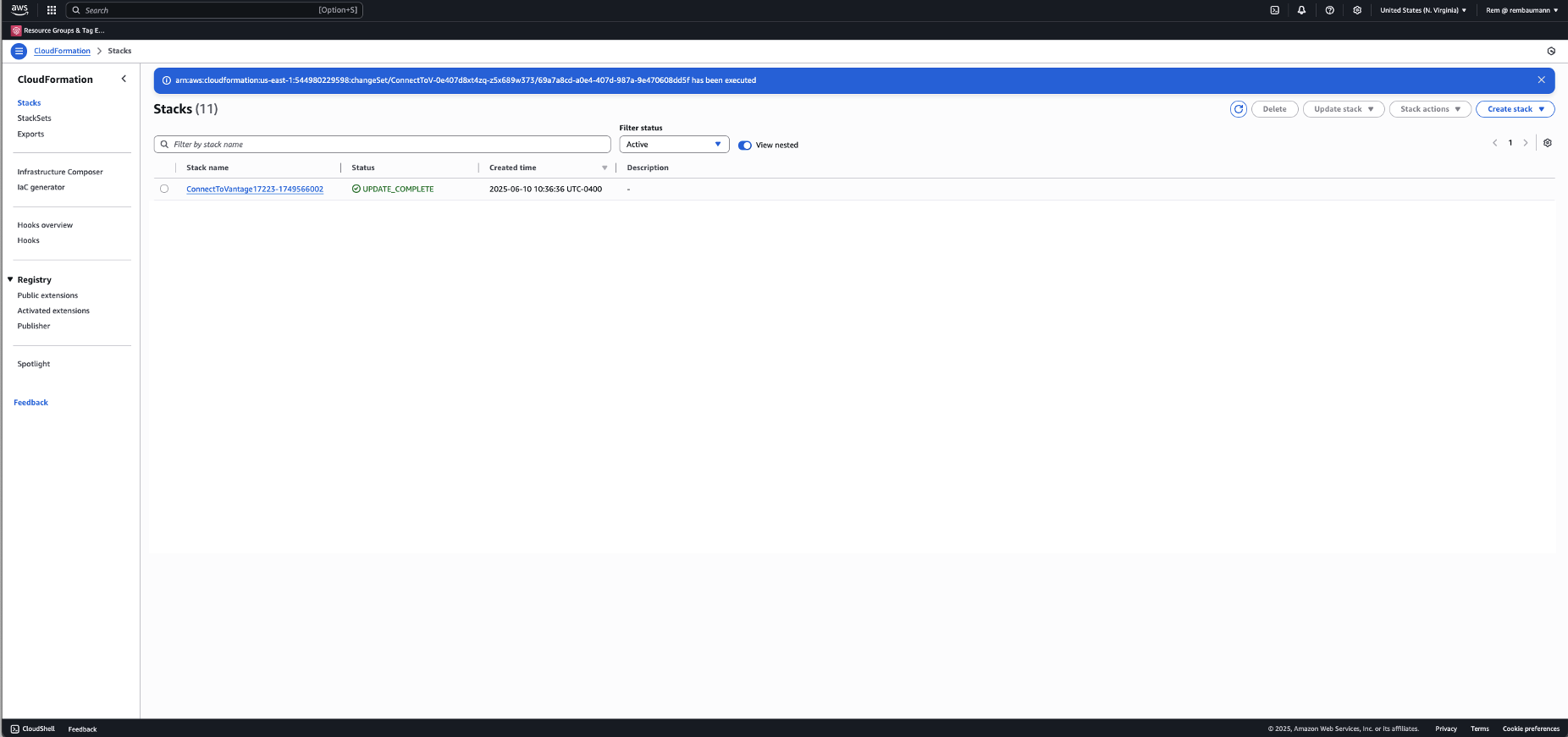
From your AWS management account (or account the CUR is deployed in), navigate to **CloudFormation**.
Open the **ConnectToVantage-** stack.
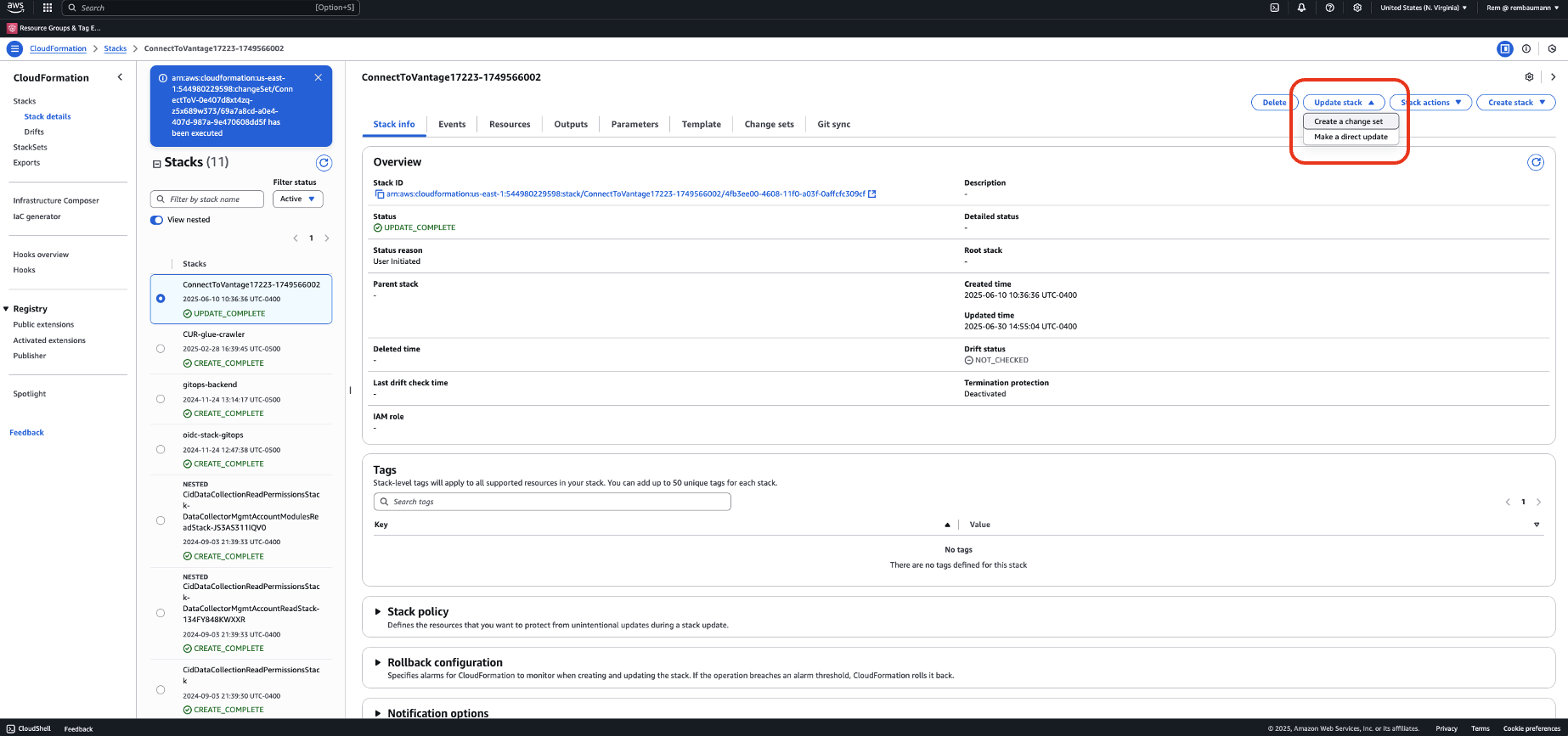
 At the top, click **Update Stack** > **Create a change set**.
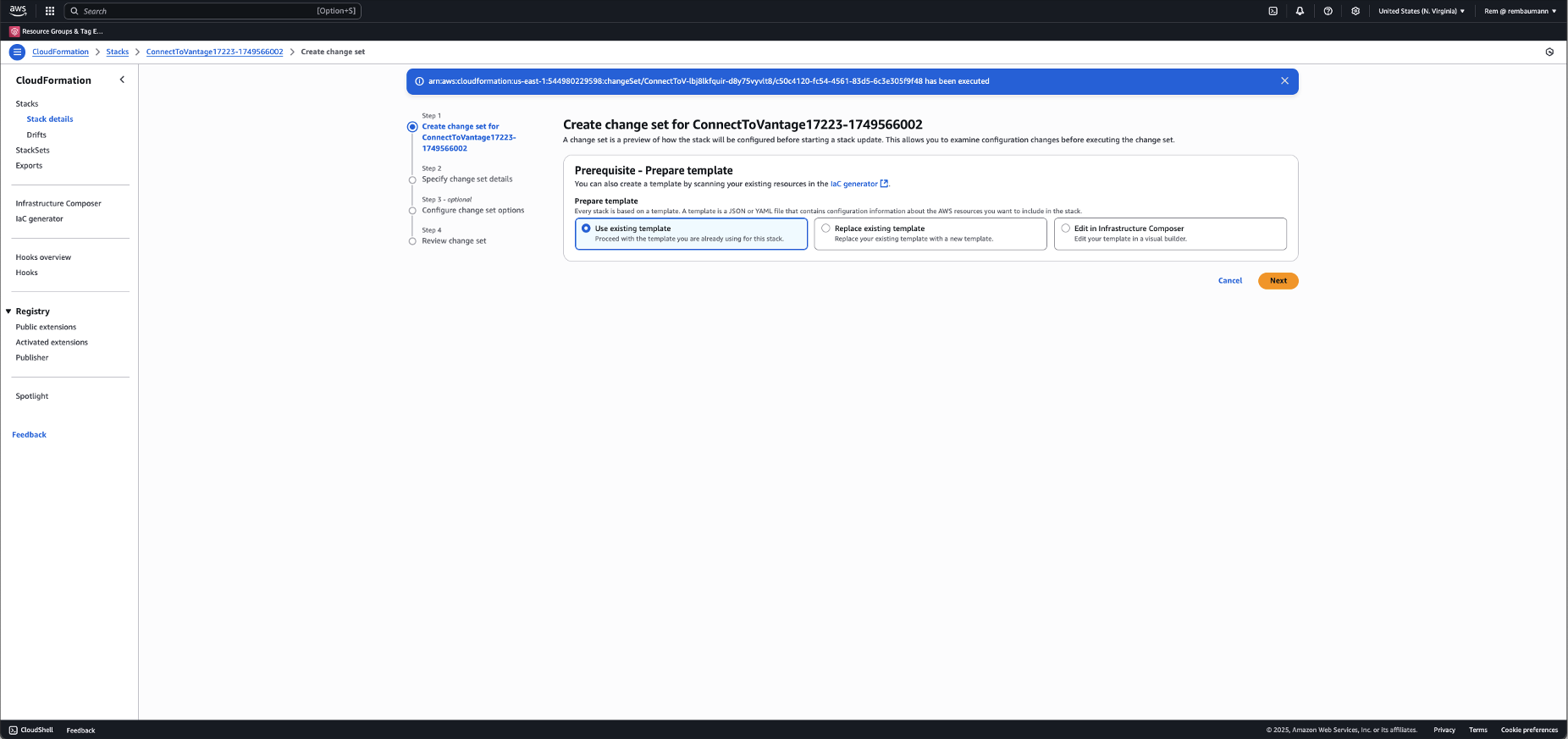
 Select **Use existing template**, then click **Next**.
 Make the following changes:
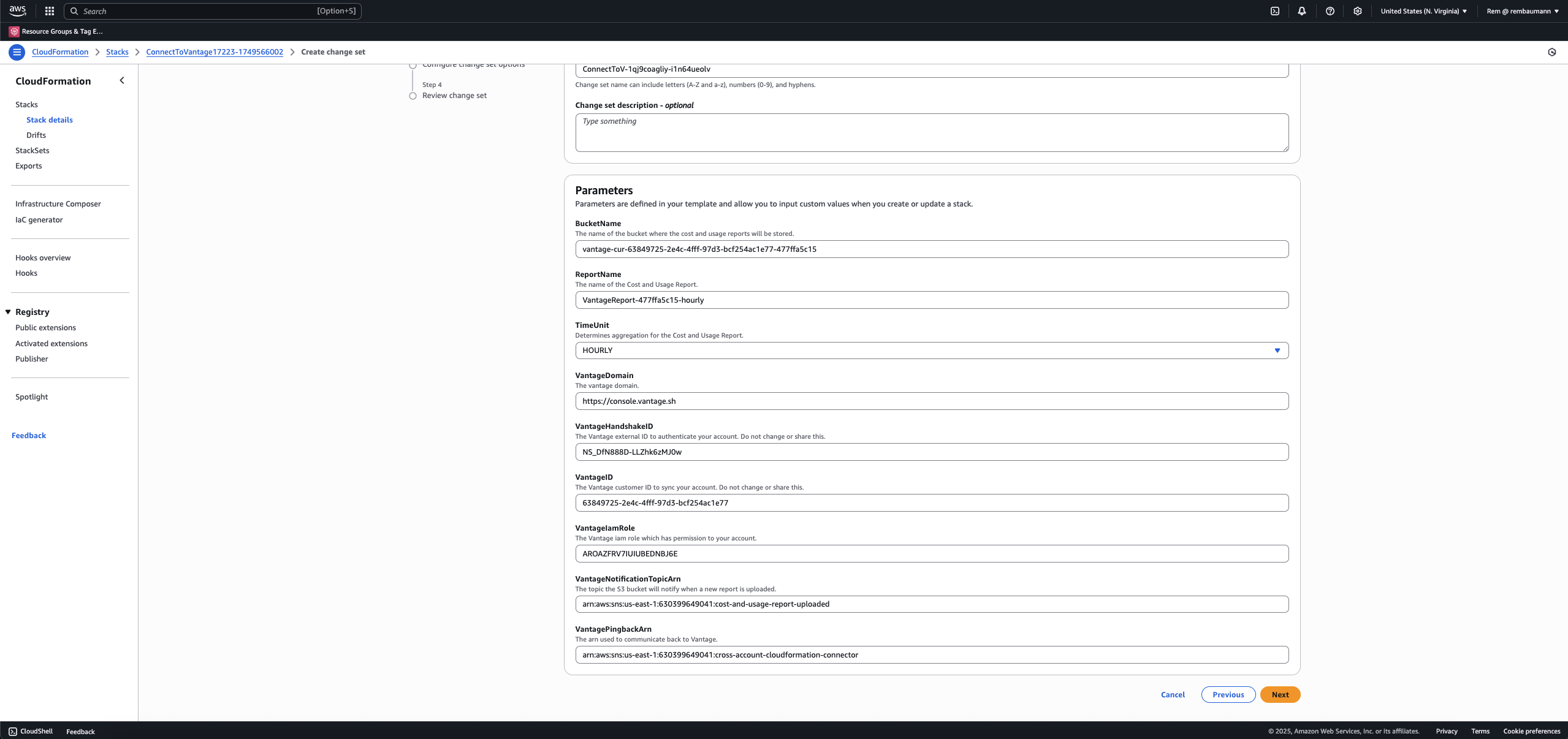
* Update the **ReportName** so that it is unique. It is recommended you append *-hourly* to the existing **ReportName**.
Make the following changes:
* Update the **ReportName** so that it is unique. It is recommended you append *-hourly* to the existing **ReportName**.
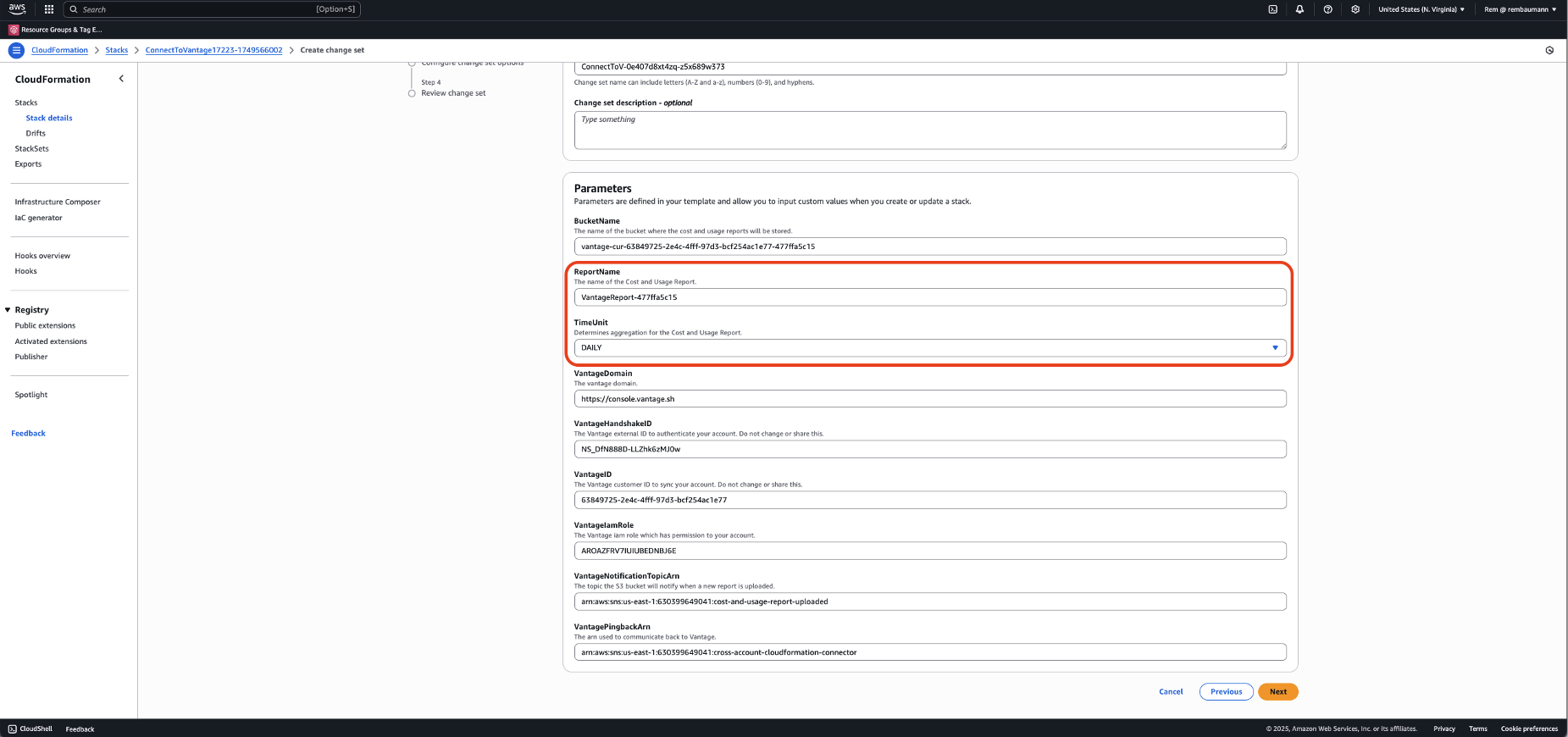 * For **TimeUnit**, change the value from **DAILY** to **HOURLY**. Then, click **Next**.
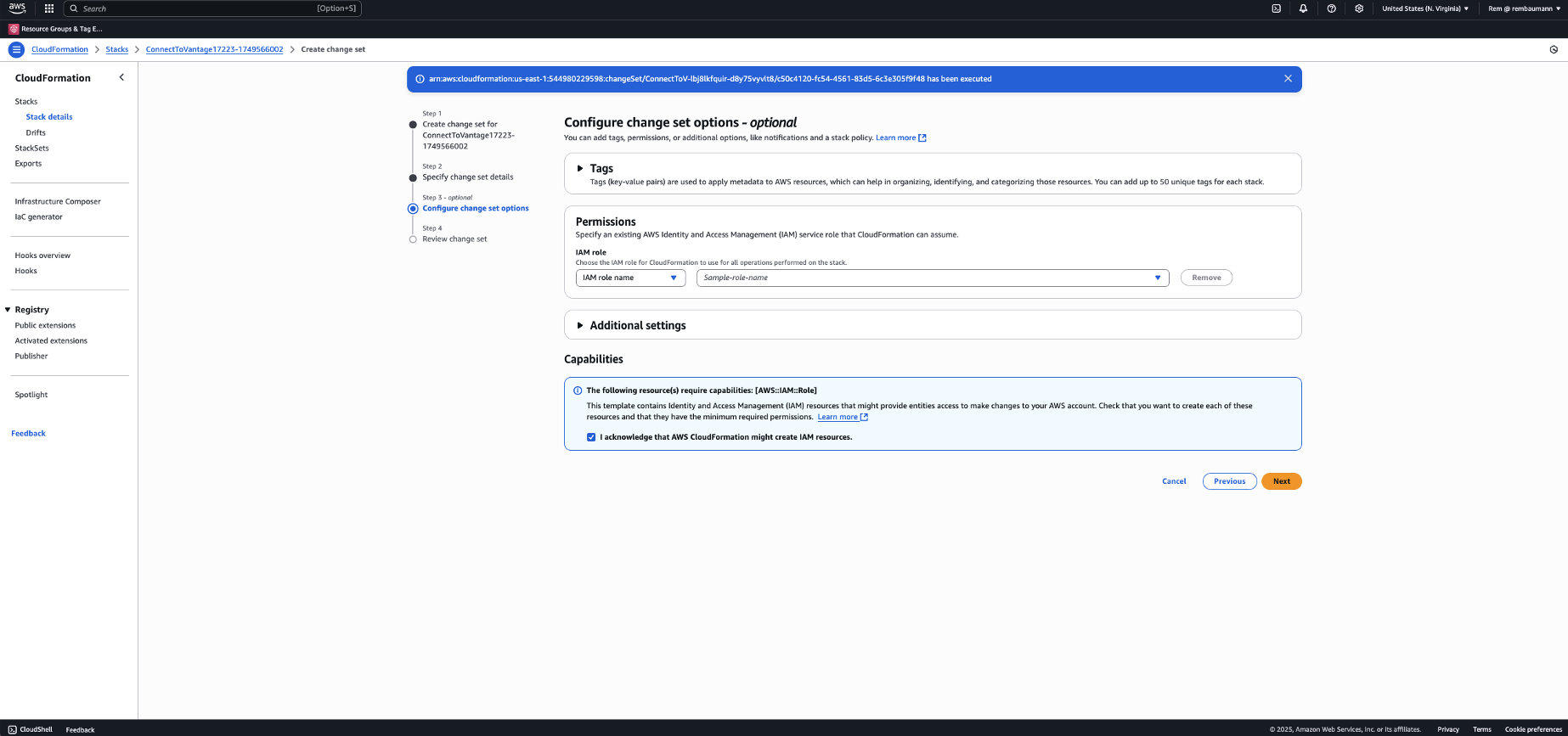
 Check the box at the bottom to acknowledge the changes that are being made. Then, click **Next**.
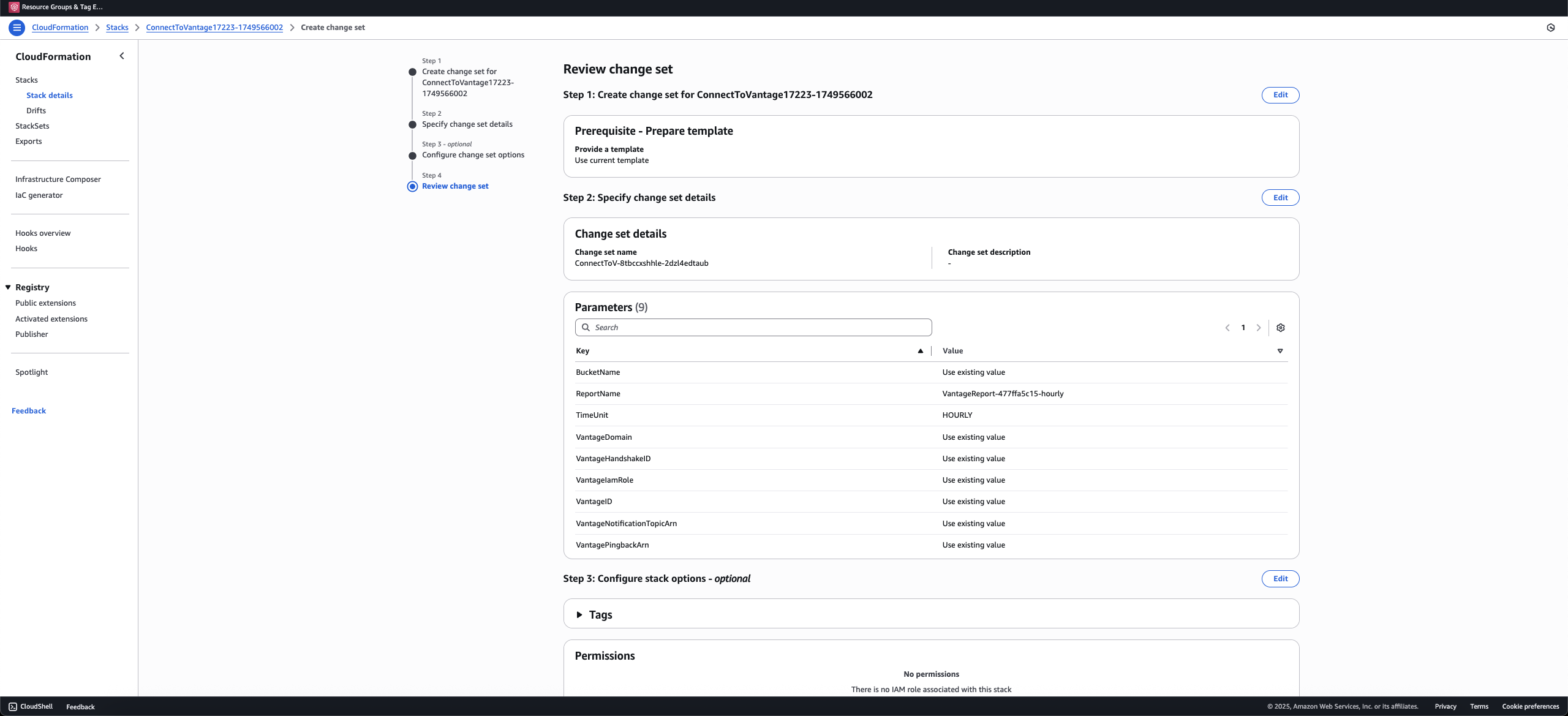
 Review your changes and click **Submit**.
 Your change set will be created based on the changes to your resources. This process may take a few minutes. At the top right, click **Execute change set**. (If you are unable to click the **Execute change set** button, click the circular **Refresh** icon below the button.)
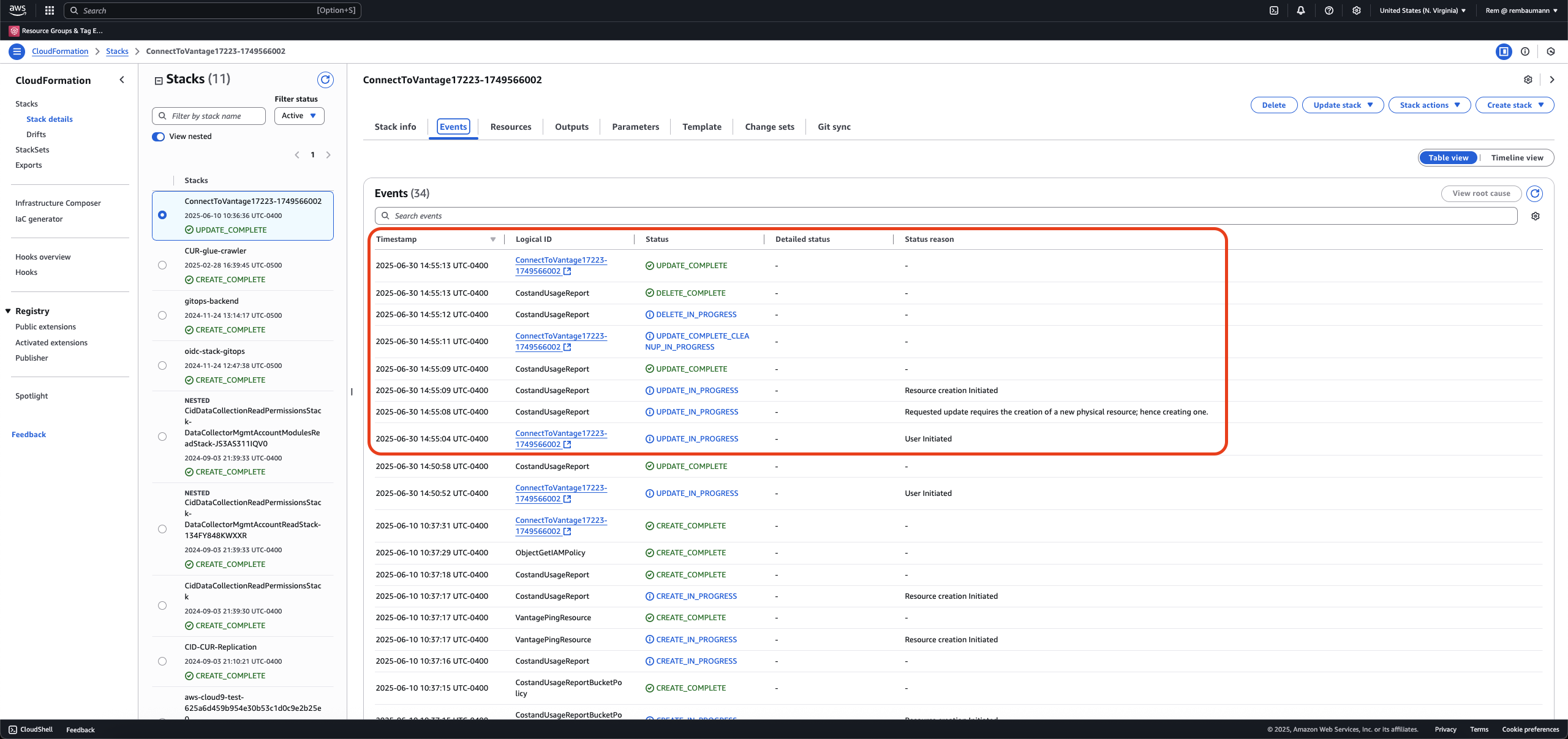
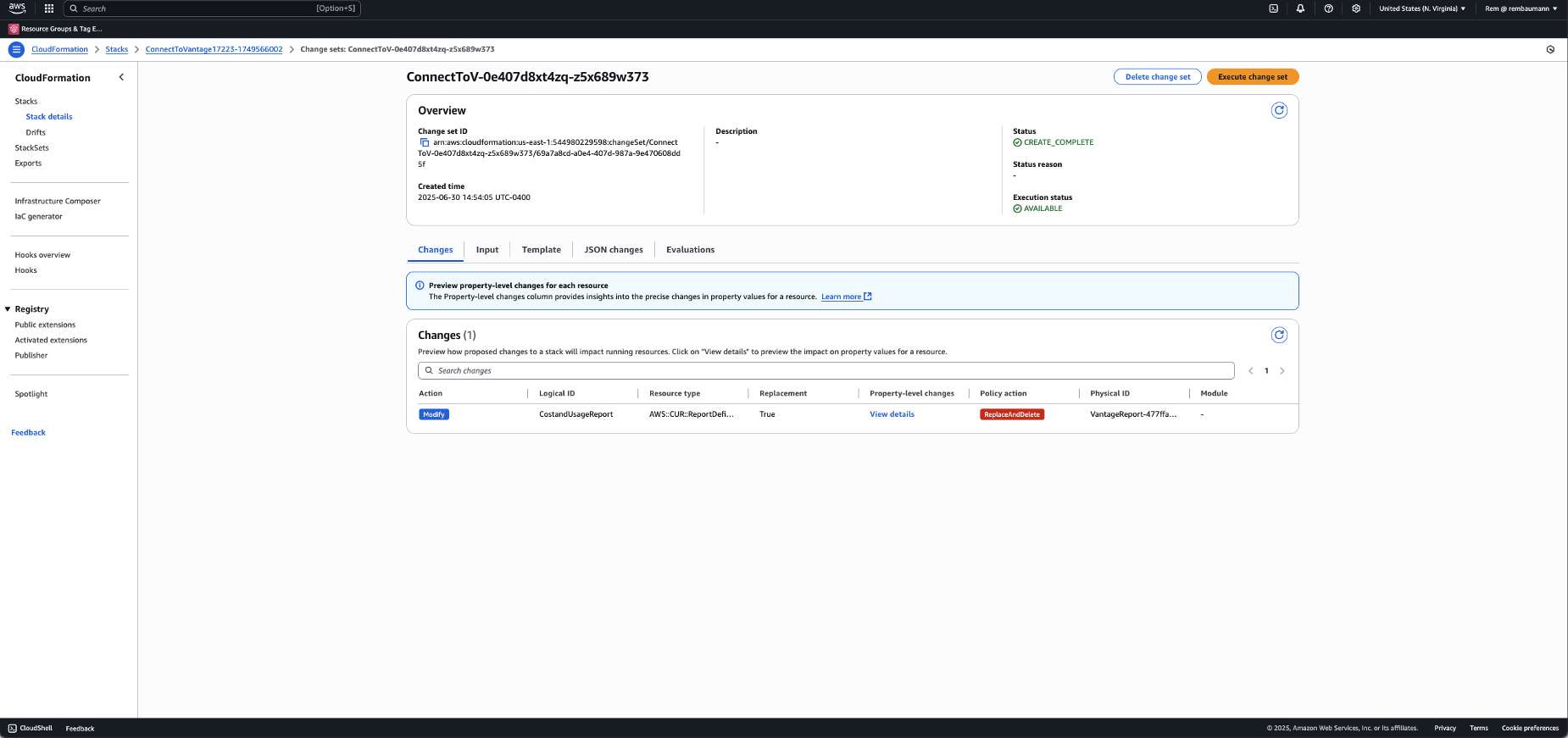 CloudFormation processes your changes, which includes deleting the previous CUR definition and creating a new hourly CUR.
 ## Enable via Terraform
You must be on [version 0.1.6](https://registry.terraform.io/modules/vantage-sh/vantage-integration/aws/0.1.6) or above of the Vantage Terraform provider.
If you are using the Vantage Terraform provider [AWS integration module](https://registry.terraform.io/modules/vantage-sh/vantage-integration/aws/latest), an optional parameter for `cur_report_time_unit` is provided. Update the parameter's value to `HOURLY` and apply your changes.
```hcl theme={null}
provider "aws" {
region = "us-east-1"
assume_role {
role_arn = "arn:aws:iam::123456789012:role/admin-role"
}
}
module "vantage-integration" {
source = "vantage-sh/vantage-integration/aws"
# Bucket names must be globally unique. It is provisioned with private acl's
# and only accessed by Vantage via the provisioned cross account role.
cur_bucket_name = "my-company-cur-vantage"
# Optional: granularity of the CUR report: "HOURLY" or "DAILY"
cur_report_time_unit = "HOURLY"
}
```
## Enable via Manual Deployment
Log in to AWS, and navigate to the **Billing and Cost Management** console.
From the left navigation menu, under **Cost and Usage Analysis**, select **Data Exports**.
## Enable via Terraform
You must be on [version 0.1.6](https://registry.terraform.io/modules/vantage-sh/vantage-integration/aws/0.1.6) or above of the Vantage Terraform provider.
If you are using the Vantage Terraform provider [AWS integration module](https://registry.terraform.io/modules/vantage-sh/vantage-integration/aws/latest), an optional parameter for `cur_report_time_unit` is provided. Update the parameter's value to `HOURLY` and apply your changes.
```hcl theme={null}
provider "aws" {
region = "us-east-1"
assume_role {
role_arn = "arn:aws:iam::123456789012:role/admin-role"
}
}
module "vantage-integration" {
source = "vantage-sh/vantage-integration/aws"
# Bucket names must be globally unique. It is provisioned with private acl's
# and only accessed by Vantage via the provisioned cross account role.
cur_bucket_name = "my-company-cur-vantage"
# Optional: granularity of the CUR report: "HOURLY" or "DAILY"
cur_report_time_unit = "HOURLY"
}
```
## Enable via Manual Deployment
Log in to AWS, and navigate to the **Billing and Cost Management** console.
From the left navigation menu, under **Cost and Usage Analysis**, select **Data Exports**.
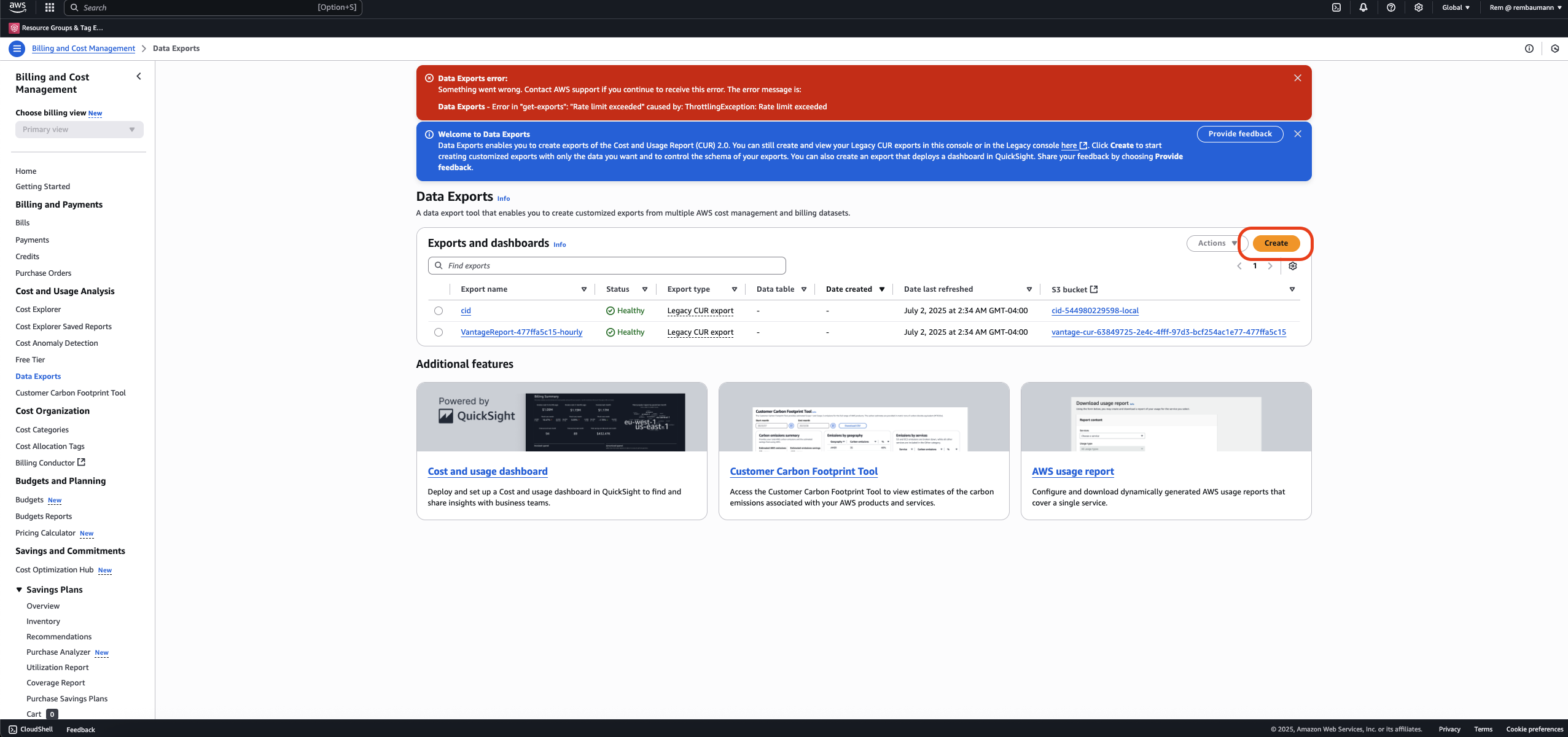
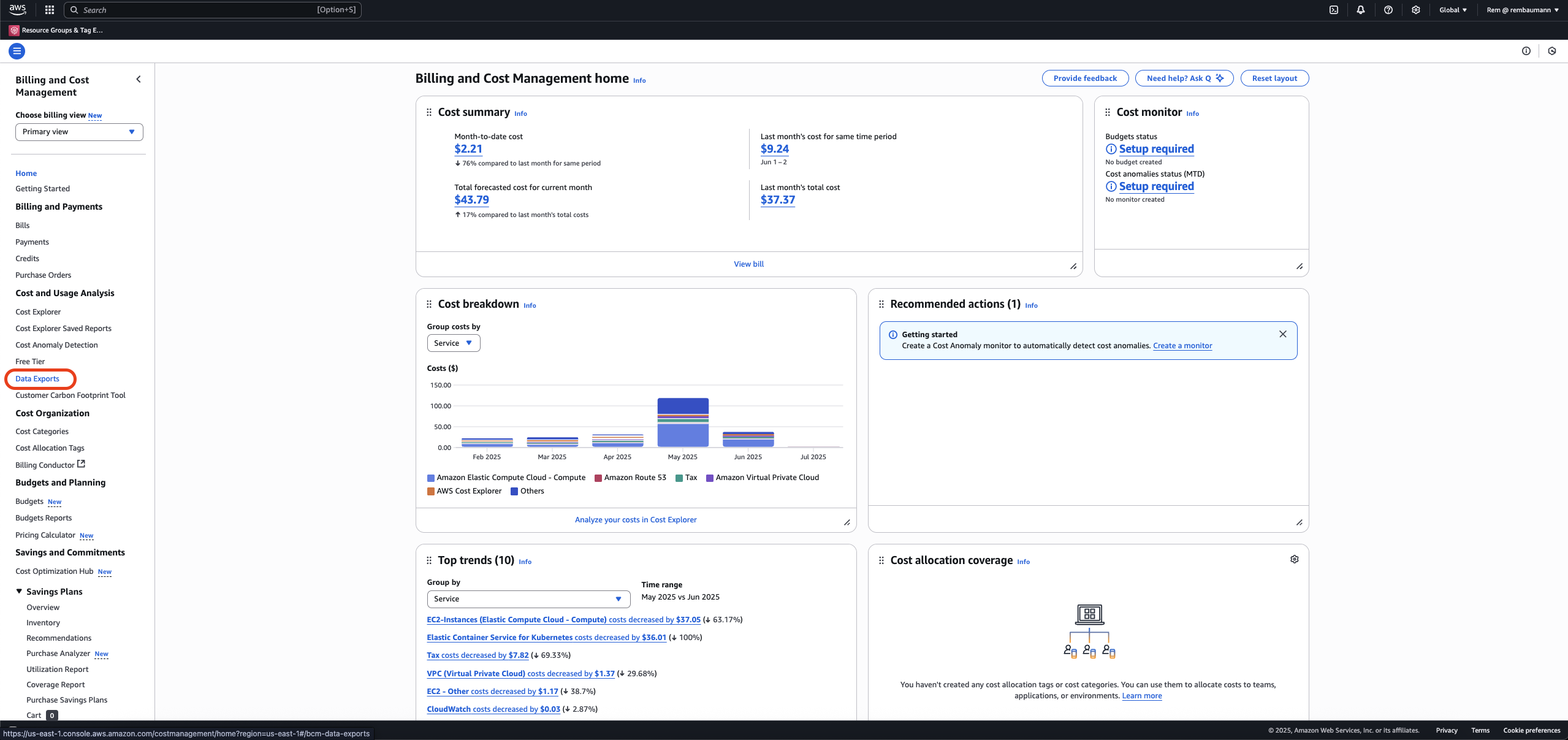 Click **Create** to create a new CUR definition.
 Create a Data Export with the following parameters:
* **Export details** section:
* Select **Legacy CUR export**.
* Enter an **Export name** of your choice.
* **Export content** section:
* For **Additional export content**, select **Include resource IDs**.
* For **Data refresh settings**, select **Refresh automatically**.
* **Data export delivery options** section:
* For **Report data time granularity**, select **Hourly**.
* For **Report versioning**, select **Overwrite existing report**.
* For **Compression type**, select **gzip**.
* **Data Export storage settings** section:
* For **S3 bucket**, select the same S3 bucket your existing Vantage CUR uses.
* For **S3 path prefix**, enter *hourly-v1*.
Click **Create Report**.
Create a Data Export with the following parameters:
* **Export details** section:
* Select **Legacy CUR export**.
* Enter an **Export name** of your choice.
* **Export content** section:
* For **Additional export content**, select **Include resource IDs**.
* For **Data refresh settings**, select **Refresh automatically**.
* **Data export delivery options** section:
* For **Report data time granularity**, select **Hourly**.
* For **Report versioning**, select **Overwrite existing report**.
* For **Compression type**, select **gzip**.
* **Data Export storage settings** section:
* For **S3 bucket**, select the same S3 bucket your existing Vantage CUR uses.
* For **S3 path prefix**, enter *hourly-v1*.
Click **Create Report**.